Event Planning Invoice Template
This event planning invoice template is built for event planners who have to separate two kinds of money: the fee for your planning expertise and the costs you pass through on the client's behalf. Put your planning fee, vendor coordination time and day-of management on their own lines, then list pass-through charges such as catering, venue hire, florists, rentals and entertainment separately, so the client sees your fee and their supplier costs distinctly. Because events build over months, phased billing is the norm: a deposit to hold the date, milestone payments as vendors are confirmed, and a closing bill once the event wraps and vendor statements are reconciled. Give each phase a unique invoice number and a payment due date, and state your cancellation terms on the deposit invoice. Say whether pass-throughs are billed at cost or carry a disclosed markup, and apply the sales tax, VAT or GST that applies where you operate. Download it as Word, PDF, Google Docs or Google Sheets, or fill it in online and export a PDF.
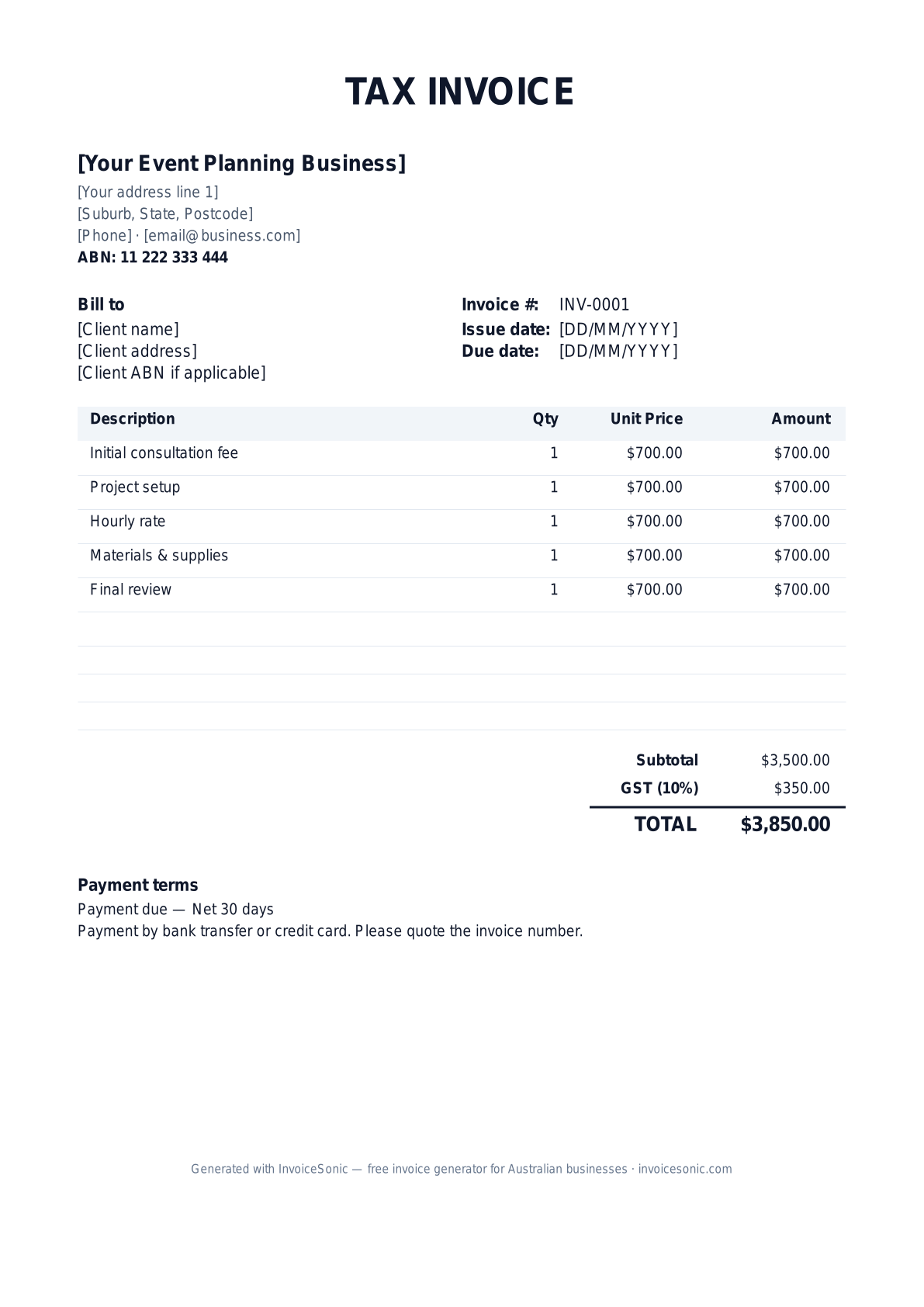
Preview of the event planning invoice template — create or download yours free.
Why Event Planning Professionals Choose InvoiceSonic
Industry-specific invoicing tools designed for Event Planning
Industry-Specific Templates
Pre-built templates tailored for Event Planning with common line items and payment terms.
Fast Invoice Creation
Create professional Event Planning invoices in under 2 minutes with our streamlined interface.
GST Compliant
Automatic GST calculations ensure your Event Planning invoices meet Australian tax requirements.
Professional Branding
Add your logo and customize colors to match your Event Planning business brand.
Client Management
Keep track of all your Event Planning clients and their payment history in one place.
Recurring Billing
Perfect for Event Planning businesses with ongoing service contracts and subscriptions.
Common Services for Event Planning
Typical services you can include on your Event Planning invoices:
- ✓ Full event planning & coordination
- ✓ Venue sourcing & negotiation
- ✓ Vendor management (catering, AV, florals)
- ✓ Wedding & party planning
- ✓ Corporate events & conferences
- ✓ On-site event management
- ✓ Post-event wrap report
Average Invoice Value: set by event size and whether vendor costs pass through your invoice | Payment Terms: a deposit to hold the date, milestone payments, and a final balance around the event
Typical Line Items on Event Planning Invoices
Common billable items event planning businesses include on invoices:
- ✓ Planning fee — flat, hourly or % of event budget
- ✓ Deposit to hold the date (non-refundable portion stated)
- ✓ Milestone payment — vendors confirmed
- ✓ On-site event manager (day rate)
- ✓ Vendor pass-through — catering (at cost)
- ✓ Vendor pass-through — venue hire (at cost)
- ✓ Per-head charge (final guest count)
- ✓ Travel & accommodation (if applicable)
Invoicing Tips for Event Planning
- ✓ Disclose whether your fee is flat, hourly, or percentage of total budget
- ✓ Never commingle client vendor payments with your fee without clear ledger
- ✓ Invoice planning retainer before securing non-refundable venue holds
- ✓ Final invoice after event reconciliation and vendor statements
- ✓ Confirm the final guest count in writing before invoicing per-head costs
- ✓ Give each line a brief description and total price, add applicable taxes, and list accepted payment methods such as bank transfer or credit card
- ✓ Put your business name, email address and phone number on every invoice so clients and vendors can query it quickly
Common Event Planning Invoicing Mistakes to Avoid
- ✓ Paying vendors from your account without separate pass-through lines
- ✓ No cap on planning hours for "full service" packages
- ✓ Missing cancellation terms on deposit invoices
- ✓ Not listing event name and date on every invoice line
- ✓ Sending the closing balance before the guest count and vendor bills are reconciled
- ✓ Leaving the client's contact information off deposit invoices sent months before the event
Event Planning Invoicing FAQ
What should I include on a Event Planning invoice?
Your Event Planning invoice should include your ABN, business details, client information, detailed line items for services or products, payment terms (typically a deposit to hold the date, milestone payments, and a final balance around the event), GST breakdown, and total amount due.
How do I price my Event Planning services?
The average invoice value for Event Planning is set by event size and whether vendor costs pass through your invoice. Consider your experience, market rates, overhead costs, and the value you provide when setting prices for your services.
What payment terms are standard in Event Planning?
Most Event Planning businesses use payment terms of a deposit to hold the date, milestone payments, and a final balance around the event. However, you can adjust based on your relationship with the client and cash flow needs.
Can I create recurring invoices for Event Planning clients?
Yes! InvoiceSonic allows you to set up recurring invoices for regular Event Planning clients. This is perfect for ongoing contracts, maintenance agreements, or subscription-based services.
More event and hospitality invoice templates
Templates for the planners, caterers and vendors who work the same events — and the deposit invoice that holds the date.
Event Planning Invoice Template — Locations & Related
Event Planning by city (AU)
- Event Planning invoices in Sydney
- Event Planning invoices in Melbourne
- Event Planning invoices in Brisbane
- Event Planning invoices in Perth
- Event Planning invoices in Adelaide
- Event Planning invoices in Gold Coast
- Event Planning invoices in Canberra
- Event Planning invoices in Newcastle
- Event Planning invoices in Wollongong
- Event Planning invoices in Hobart
- Event Planning invoices in Geelong
- Event Planning invoices in Townsville
- Event Planning invoices in Cairns
- Event Planning invoices in Darwin
- Event Planning invoices in Toowoomba
- Event Planning invoices in Ballarat
- Event Planning invoices in Bendigo
- Event Planning invoices in Albury
- Event Planning invoices in Launceston
- Event Planning invoices in Mackay
- Event Planning invoices in Rockhampton
- Event Planning invoices in Bunbury
- Event Planning invoices in Bundaberg
- Event Planning invoices in Coffs Harbour
- Event Planning invoices in Wagga Wagga
- Event Planning invoices in Hervey Bay
- Event Planning invoices in Mildura
- Event Planning invoices in Shepparton
- Event Planning invoices in Port Macquarie
- Event Planning invoices in Gladstone
- Event Planning invoices in Tamworth
- Event Planning invoices in Traralgon
- Event Planning invoices in Orange
- Event Planning invoices in Geraldton
- Event Planning invoices in Bowral
- Event Planning invoices in Dubbo
- Event Planning invoices in Nowra
- Event Planning invoices in Bathurst
- Event Planning invoices in Warrnambool
- Event Planning invoices in Kalgoorlie
- Event Planning invoices in Lismore
- Event Planning invoices in Alice Springs
Event Planning by country
Other industries
- Construction invoice template
- Graphic Design invoice template
- Web Development invoice template
- Marketing Consulting invoice template
- Photography invoice template
- Accounting & Bookkeeping invoice template
- Plumbing invoice template
- Electrical invoice template
- Cleaning Services invoice template
- IT Support invoice template
- Landscaping invoice template
- Carpentry invoice template
- Interior Design invoice template
- Pest Control invoice template
- HVAC Services invoice template
- Painting & Decorating invoice template
- Content Writing invoice template
- Video Production invoice template
- Real Estate Services invoice template
- Legal Services invoice template
- Architecture invoice template
- Engineering Consulting invoice template
- Property Management invoice template
- Mobile App Development invoice template
- Digital Marketing invoice template
- SEO Services invoice template
- Social Media Management invoice template
- Translation Services invoice template
- Tutoring invoice template
- NDIS Services invoice template
- Roofing invoice template
Need a different format? Browse our complete template library or try our free invoice generator.
A practical guide to event-planning billing
Use the template as a starting layout, then replace its example information with the actual agreed work. The details below help you decide what to enter and what to check before sending.
Agree what this invoice covers
Distinguish your planning fee from vendor costs and client funds held for supplier payments. Name the stage being billed: booking, preparation or event completion. Record changes to guest count, venue or supplier scope before revising the invoice.
Give the payer enough context
Include the event name, event date, venue and booking reference. Check the legal billing name and delivery contact against the accepted work. Keep the accepted planning scope, vendor-cost approvals and received-deposit record available to resolve questions. An invoice records the charge; it does not replace the underlying approval or supporting documents.
Worked event-planning invoice example
This example bills the planner’s work, not the entire vendor budget. If supplier costs pass through your business, show the agreed basis and avoid counting direct client payments as your received funds.
| Description | Quantity | Rate | Amount |
|---|---|---|---|
| Event coordination — agreed milestone | 1 | 900.00 | 900.00 |
| Approved additional onsite hours | 3 | 70.00 | 210.00 |
| Example subtotal | 1,110.00 | ||
Avoid this billing mistake
Subtracting a deposit that was requested but never paid understates the final balance. Check actual receipts and make approved booking changes explicit.
Follow up on the right record
Confirm the payer and approval contact before the event. Keep supplier reconciliation separate from your invoice list so an unpaid vendor bill is not mistaken for the client’s unpaid planning fee.
Before you send
- Match the line items and quantities to the accepted scope and approved changes.
- Check the invoice number, issue date, explicit due date and the event name, event date, venue and booking reference.
- Apply only the tax treatment relevant to your business and location; check current local requirements if unsure.
- Keep earlier billing separate from actual payments. Verify the outstanding amount and payment instructions.
The free browser tool prepares the document. Saving customers, sending tracked invoices and managing reminders require an account and are subject to plan limits. Payment status needs accurate payment records; an invoice view alone does not confirm payment.