Free Invoicing Software

Job done. Invoice sent.
Every cent yours.

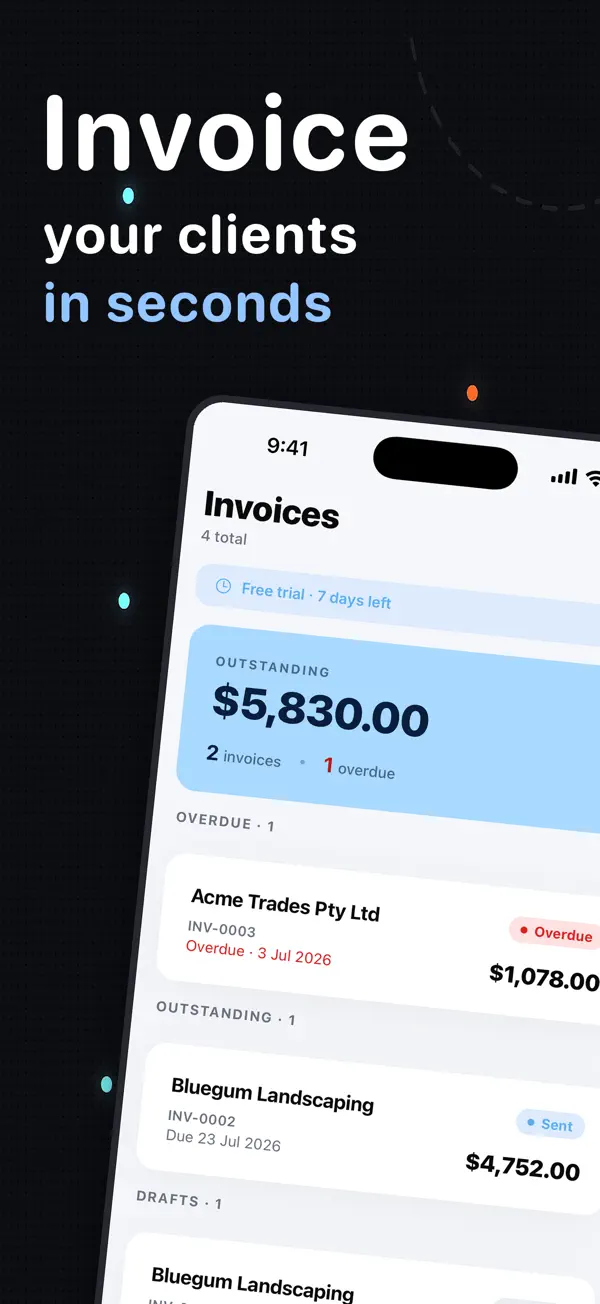
Create and send a professional invoice from your phone or browser in under a minute.

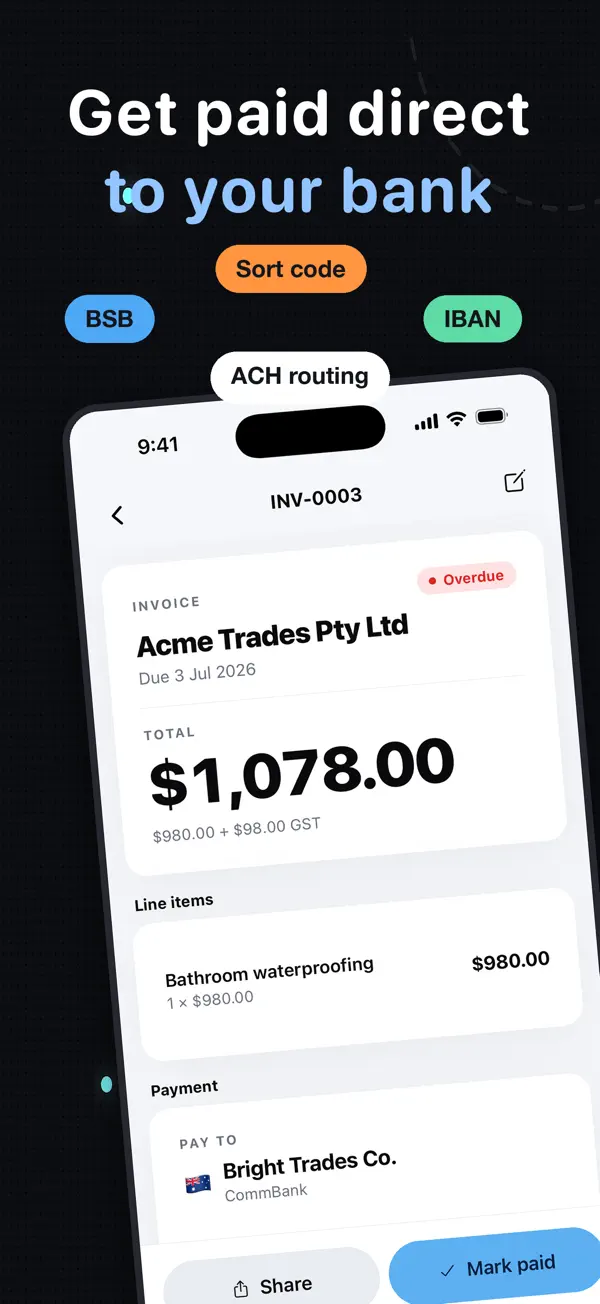
Get paid by bank transfer, PayID, Venmo or Zelle — online payments on rails your clients already use, with no payment gateways to set up and no InvoiceSonic transaction fee taking a cut. Free to use — no signup for your first invoice.

Tax formats for Australia, New Zealand, the United States, the United Kingdom and Canada — GST, VAT and sales tax across 12 currencies. Also available as an iPhone app on the App Store.

0% InvoiceSonic fee·No signup·No watermark
Bank transfer PayID Venmo Zelle Cash App

Built and supported by Dyllan, the founder — a real person answers every email.

Create your invoice online

Your business
Bill to (client)
Invoice details
Line items
Description Qty Unit price Tax %
Totals
Payment details
Notes
Open interactive editor
Try InvoiceSonic free →

One click with your email — no card, no password. Save, send and track invoices free; upgrade to Pro whenever you are ready.

Key Benefits

Create professional invoices free with no sign-up

Add your business details and logo once, use them forever

Download invoices as PDF files instantly

Perfect for freelancers, startups, and small business owners

Automatically calculate totals, taxes, and balances

Send invoices directly to clients or manage recurring billing

Invoicing software built for the United States and Australia

One invoicing app, with the currency, tax labels and payment details your market expects.

Australia

AUD invoices with ABN, GST and PayID

Create ATO-ready tax invoices with ABN and GST fields, AUD totals, PayID and Australian bank details—all without a watermark.

Free invoicing software Australia →

Create Professional Invoices Instantly

If you're looking for a fast, accurate, and beautifully designed way to create an invoice, InvoiceSonic's free invoice generator is built for you. Forget clunky spreadsheets, outdated software, or messy formatting. With our clean invoice templates, you can make an invoice that looks polished, modern, and professional — even if it's your very first time.

Thousands of freelancers and business owners choose InvoiceSonic because they can create professional invoices without paying for expensive subscriptions or a full accounting software suite. Whether you need a standard professional invoice, a proforma invoice, a blank invoice template, or something customized with your own logo, our system helps you do it quickly and confidently.

Why Choose Our Free Invoice Generator?

1

Free Invoice Generator — No Signup

InvoiceSonic's online invoice generator is free to use with no hidden fees and no credit card — create and download a professional invoice right in your browser. Perfect for getting started without any financial commitment.

  • Create & download invoices free
  • Professional, polished invoice layouts
  • Create invoices for different clients
  • A real free plan — up to three invoices a month, no card
2

Professional, Modern Invoice Templates

Our invoice template library includes beautifully designed templates for every industry and business type.

  • Standard professional layouts
  • Clean, modern invoice formats
  • Proforma invoices for quotes
  • Customizable layouts with your logo
3

Create Professional Invoices in Just a Few Clicks

Speed matters when you're running a business. InvoiceSonic lets you create, edit, and send invoices in seconds.

  • Add line items and descriptions instantly
  • Include your business logo and brand identity
  • Automatically calculate totals and taxes
  • Set payment terms and due dates

Everything you need to invoice — and get paid

Every feature here is live today — built in, not on a roadmap

Quote → invoice in one click

Send the quote, win the job, convert it — same details, new invoice number, nothing re-typed.

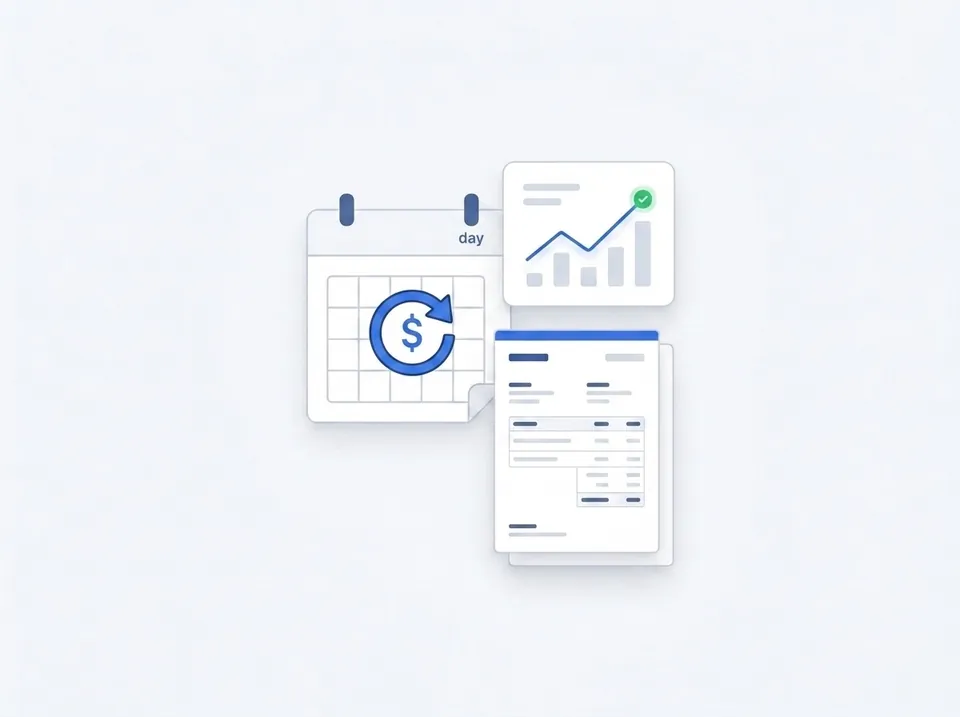
Recurring invoices

Set the schedule once and invoices send themselves — weekly, fortnightly or monthly.

Automatic payment reminders

Polite chasers go out at 7, 14 and 30 days, so overdue invoices stop draining your cash flow — and you never have to write the awkward follow-up.

Know the moment it's opened

Tracked links and 'Seen' badges show when a client views the invoice — follow up while you're on their mind.

Take a deposit up front

Add a percentage or fixed deposit and the invoice shows what's due now and what's left on completion.

Every way to pay, on one invoice

Bank transfer, PayID, BPAY, Venmo or Zelle — online payments with a QR code on the PDF, so clients pay the free way.

Receipts & statements

Send a branded receipt the moment they pay, or one statement showing everything a client still owes.

Sales tax, GST & tax-invoice ready

Use US sales-tax labels and USD, or Australian GST, ABN and AUD—the invoice adapts to your country.

iPhone app + web

Create it in the ute, send it from the office — the iOS app and web app stay in sync on every mobile device.

Templates, tools and guides

Every document a small business sends, free and without a signup.

How to Create an Invoice in 3 Simple Steps

Real screenshots from the generator above — from blank page to a professional PDF.

InvoiceSonic invoice builder — business and client detail fields

Step 1

Add your business and client details

Fill in who's billing and who's paying — that's the minimum a legally solid invoice needs.

  • Your business name & ABNShown on the invoice header so clients know exactly who to pay.
  • Bill-to client detailsName is enough to start — add billing and service addresses for bigger jobs.
  • Invoice number & datesAuto-generated number, issue date and due date — editable if you have your own system.
Live invoice preview with itemised lines and automatic totals

Step 2

Add line items — watch the invoice build itself

Every line you type appears instantly in a live preview of the finished invoice.

  • Itemised lines with qty × priceClear descriptions get approved (and paid) faster than lump sums.
  • Totals calculated automaticallySubtotal, GST/tax and total update as you type — no broken spreadsheet formulas.
Invoice with payment method options marked as paid

Step 3

Download, send, and get paid

Grab a clean PDF or email it directly. Your payment details go right on the invoice.

  • Your payment details, front and centreBank transfer, PayID, or card — clients see exactly how to pay you.
  • Professional PDF, no watermarkA real record for your accountant, tax time, and any dispute.
  • Payment terms on every invoiceDue dates and terms set the expectation — and speed up payment.
Recurring invoices and payment tracking

Set it once, get paid every month

Recurring invoices go out on schedule, tracking shows what's outstanding, and reminders chase the money so you don't have to.

  • Recurring schedulesWeekly, fortnightly, monthly — the invoice sends itself.
  • Outstanding-balance viewOne dashboard showing every unpaid invoice and its due date.
  • A record of everythingExports ready for your accountant at tax time.