Free Builder Invoice Template Invoice Template
A free, professional builder invoice template for general contractors and home builders to bill labor, materials, and subcontractor work in one clear document. Download it as Word, Excel, PDF, Google Docs, or Google Sheets and customize it with your license number, project address, and progress-payment schedule. It itemizes framing, materials, and labor so clients can track exactly what each phase of the build costs.
Download the builder invoice template invoice template
Or build it online in 60 seconds
Use InvoiceSonic's free generator — auto-calculate tax, prefill your details, and email the PDF straight to your client. No formatting needed.
Try the live generator →What's on the builder invoice template invoice template
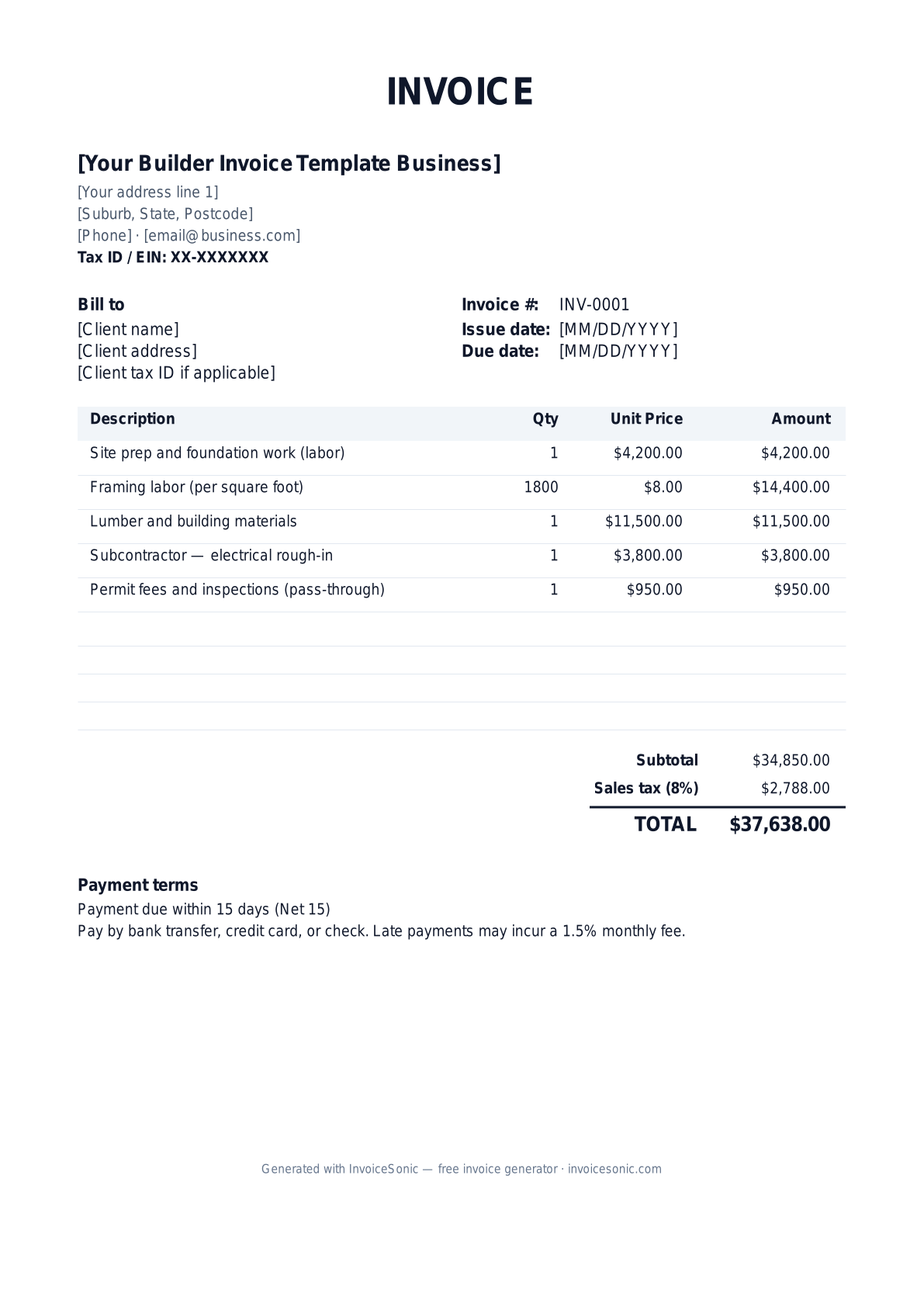
| Description | Qty | Unit price | Amount |
|---|---|---|---|
| Site prep and foundation work (labor) | 1 | $4,200.00 | $4,200.00 |
| Framing labor (per square foot) | 1800 | $8.00 | $14,400.00 |
| Lumber and building materials | 1 | $11,500.00 | $11,500.00 |
| Subcontractor — electrical rough-in | 1 | $3,800.00 | $3,800.00 |
| Permit fees and inspections (pass-through) | 1 | $950.00 | $950.00 |
| Subtotal | $34,850.00 | ||
| Sales tax (8%) | $2,788.00 | ||
| Total | $37,638.00 | ||
Example figures — every field is editable in the download.
Who uses this template
- ✓General contractors and home builders
- ✓Custom and spec home construction firms
- ✓Remodeling and addition contractors
- ✓Design-build companies
- ✓Construction project managers
What to include
- ✓Company name, contractor's license number, and bond/insurance info
- ✓Project address and contract or job number
- ✓Labor itemized by phase (foundation, framing, finishing)
- ✓Materials list with quantities and costs
- ✓Subcontractor work as separate line items
- ✓Permit fees and inspection costs as pass-through charges
- ✓Progress-payment schedule, retainage, and payment terms
Available in 5 formats
Word (.docx)
Fully editable in Microsoft Word, Google Docs, Apple Pages and LibreOffice — best for quick text edits.
Excel (.xlsx)
Line totals, subtotal and tax calculate automatically — best if you want the math done for you.
A clean, print-ready, fixed layout — best for emailing a finished invoice to a client.
Google Docs / Sheets
Open in your browser, then File → Make a copy to edit and share with your team.
Invoicing tips for builder invoice template
- ✓ Invoice by completed phase or milestone (foundation, framing, dry-in) rather than one final bill, so payments track the actual build progress.
- ✓ List your contractor's license number on every invoice — it's required in most states and reassures the client you're legitimate.
- ✓ Separate labor, materials, and subcontractor costs so clients can see the breakdown and you can manage markup transparently.
- ✓ Account for retainage if the contract holds back a percentage until completion, and show it clearly on each progress invoice.
- ✓ Pass through permit and inspection fees at cost as their own line items so clients understand these are mandatory government charges.
Builder Invoice Template invoice FAQ
How do builders usually bill — all at once or in stages?
Most builders invoice in progress payments tied to completed milestones such as foundation, framing, and dry-in. This matches the client's payments to the work delivered and keeps your cash flow funded through a long project rather than waiting for one final payment.
Do I charge sales tax on a construction project?
It varies by state and contract type. In many states, the contractor pays sales tax on materials purchased and doesn't separately tax the customer on labor; in others, you charge tax on the total. Check your state's construction tax rules and structure the invoice accordingly.
What is retainage and how do I show it?
Retainage is a percentage (often 5–10%) the client holds back from each progress payment until the project is complete and accepted. Show the gross amount, subtract the retained portion as a line, and bill the held amount on the final invoice.
Should permit fees be marked up?
Permit and inspection fees are typically passed through at actual cost as a separate line item, since they're government charges. If you charge for the time to pull permits, list that administrative labor separately so the fee itself stays transparent.
Related invoice templates
Prefer a specific format? Word invoice template · Excel invoice template · PDF invoice template · Google Docs invoice template · All invoice templates