Electrician Invoice Template
This electrician invoice template covers what Australian sparkies bill for: service call fee, labour, materials and the safety certificate for the job. Download it free as an Excel, Word or PDF file, or fill it in online and email a PDF before you leave site.
Prefer to fill it in online? Use the free invoice tool ↓ Jump to Word, Excel and PDF downloads ↓Create a electrician invoice online
Use the same free builder as our homepage to enter your details, check totals and preview the invoice. Start without an account; downloads follow the free-tool limits. Prefer an editable file? The Word, Excel and PDF options are below.
Create your invoice online
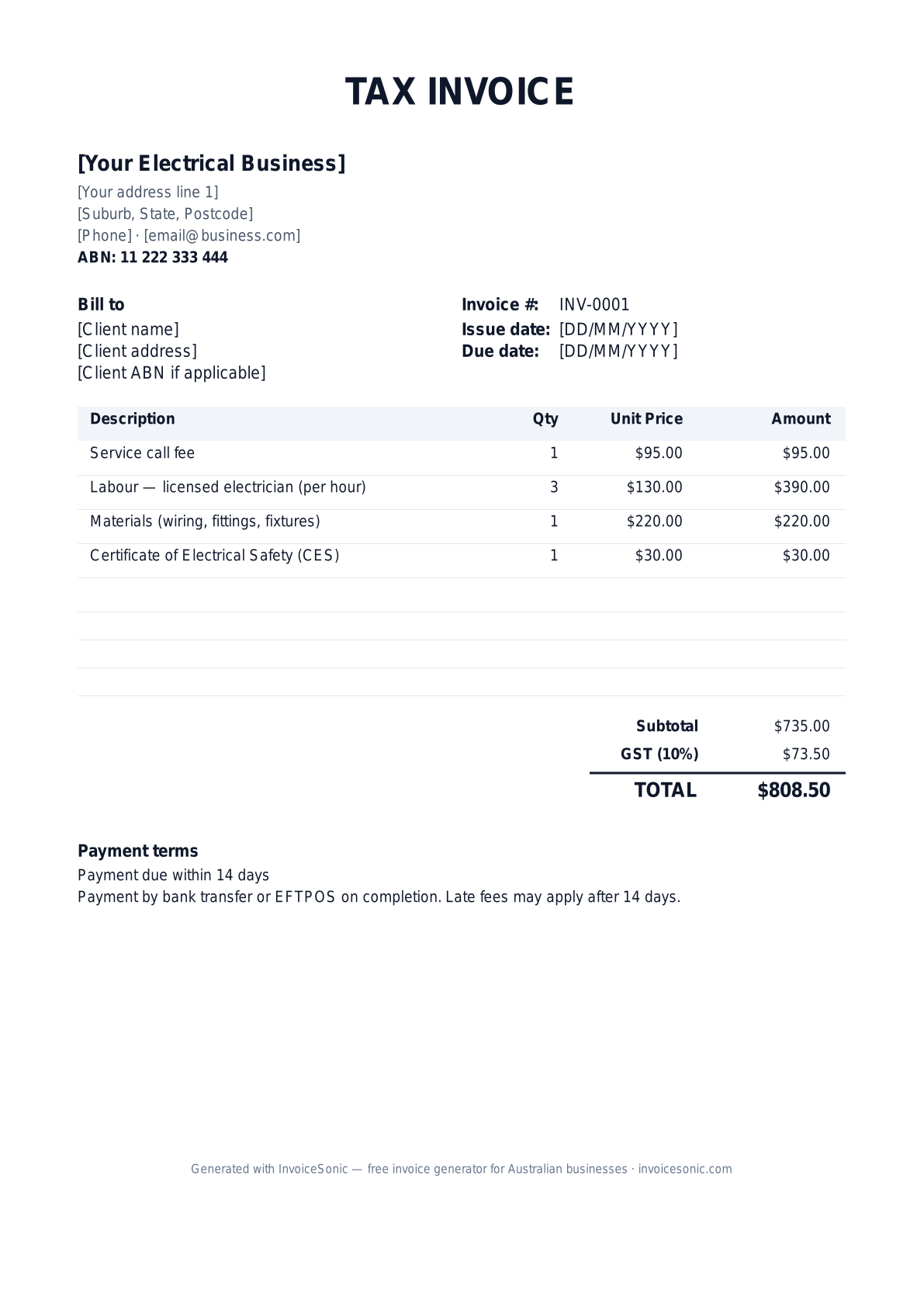
Preview of the electrician invoice template — download editable Word, Excel or PDF below.
Prefer the online builder? It is right here
Enter your details, itemise the work and review the calculated totals in the tool above. Create an account when you want to save customers, send tracked invoices and manage reminders.
Try the live generator →Who uses this template
- ✓Licensed electricians and electrical contractors
- ✓Solar and battery installers
- ✓Data and communications cablers
- ✓Electricians subcontracting to builders on commercial projects
- ✓Emergency and after-hours electricians
What to include on your invoice
- ✓Your business name, ABN and contact details
- ✓Your electrical contractor licence number
- ✓The client name and job site address
- ✓A unique invoice number, the invoice date and the due date
- ✓Service call fee, then labour hours × your hourly rate
- ✓Materials — cable, fittings, fixtures — with quantities and unit prices
- ✓The safety or compliance certificate for the electrical work
- ✓A GST line at 10% if you are GST-registered, and the total amount due
- ✓Payment terms and payment details, plus warranty information on installations
Invoicing tips for electricians
- 1.Show your licence number in the header. State regulators generally require electrical contractors to display it on quotes and invoices.
- 2.Reference the certificate you issued for regulated work. The name varies by state — for example a Certificate of Electrical Safety in Victoria or a Certificate of Compliance for Electrical Work in NSW.
- 3.Itemise materials separately from labour so the client can check the breakdown, and put any after-hours rate on its own line.
- 4.For solar installs, include the system details and any accreditation number the rebate paperwork needs.
- 5.Use 14-day payment terms for residential clients and 30 days for builders and commercial clients, and attach the certificate PDF when you email the invoice.
Related trade invoice templates
Frequently asked questions
Do electrician invoices need a licence number?
Generally yes. Electrical licensing is run by each state and territory, and regulators require contractors to show their licence number on quotes, invoices or advertising. Check your regulator for the exact rule.
Should the safety certificate appear on the invoice?
List it as its own line, or reference the certificate number, so the client can match the paperwork to the job. Some regulators charge for the certificate form, which you can pass on.
Excel, Word or PDF — which should I use?
Use Excel if you want GST and totals calculated for you, Word if you want to change the layout, and send the finished invoice to the client as a PDF so it can't be edited.
Are these templates GST-compliant?
Yes. If you are registered for GST, keep the "Tax Invoice" title and the separate GST line. If you are not registered, remove both — only GST-registered businesses issue tax invoices.
More free templates
A practical guide to electrical billing
Use the template as a starting layout, then replace its example information with the actual agreed work. The details below help you decide what to enter and what to check before sending.
Agree what this invoice covers
Separate fault finding from the authorised repair or installation. Identify the equipment, circuits or areas included in the accepted scope. If diagnosis reveals additional work, record the customer’s approval before adding it to the invoice.
Give the payer enough context
Include the service address, job number, visit date and relevant equipment or circuit reference. Check the legal billing name and delivery contact against the accepted work. Keep the approved scope, labour record, parts schedule and relevant completion-document references available to resolve questions. An invoice records the charge; it does not replace the underlying approval or supporting documents.
Worked electrical invoice example
Diagnosis, supplied parts and installation are visible as separate charges. This is a billing example, not a technical safety checklist; required certificates and inspections remain separate from the invoice.
| Description | Quantity | Rate | Amount |
|---|---|---|---|
| Fault-finding labour | 2 | 90.00 | 180.00 |
| Replacement fitting — approved supply | 3 | 45.00 | 135.00 |
| Installation labour | 1 | 90.00 | 90.00 |
| Example subtotal | 405.00 | ||
Avoid this billing mistake
Grouping all fittings into ‘materials’ makes quantities difficult to verify. Use a clear description and quantity, and distinguish a supplied item from labour that was already included in the quoted installation price.
Follow up on the right record
Send the invoice to the party responsible for the approved work, which may differ from the site contact. If payment is waiting on a completion document, confirm the missing reference and provide it through the appropriate process.
Before you send
- Match the line items and quantities to the accepted scope and approved changes.
- Check the invoice number, issue date, explicit due date and the service address, job number, visit date and relevant equipment or circuit reference.
- Apply only the tax treatment relevant to your business and location; check current local requirements if unsure.
- Keep earlier billing separate from actual payments. Verify the outstanding amount and payment instructions.
The free browser tool prepares the document. Saving customers, sending tracked invoices and managing reminders require an account and are subject to plan limits. Payment status needs accurate payment records; an invoice view alone does not confirm payment.