Free Contractor Invoice Template
A free, professional contractor invoice template you can download as Word, Excel, PDF, or Google Docs and Sheets. Built for independent contractors and general contractors who bill by phase, milestone, or change order, with fields for labor, materials, and retainage already laid out.
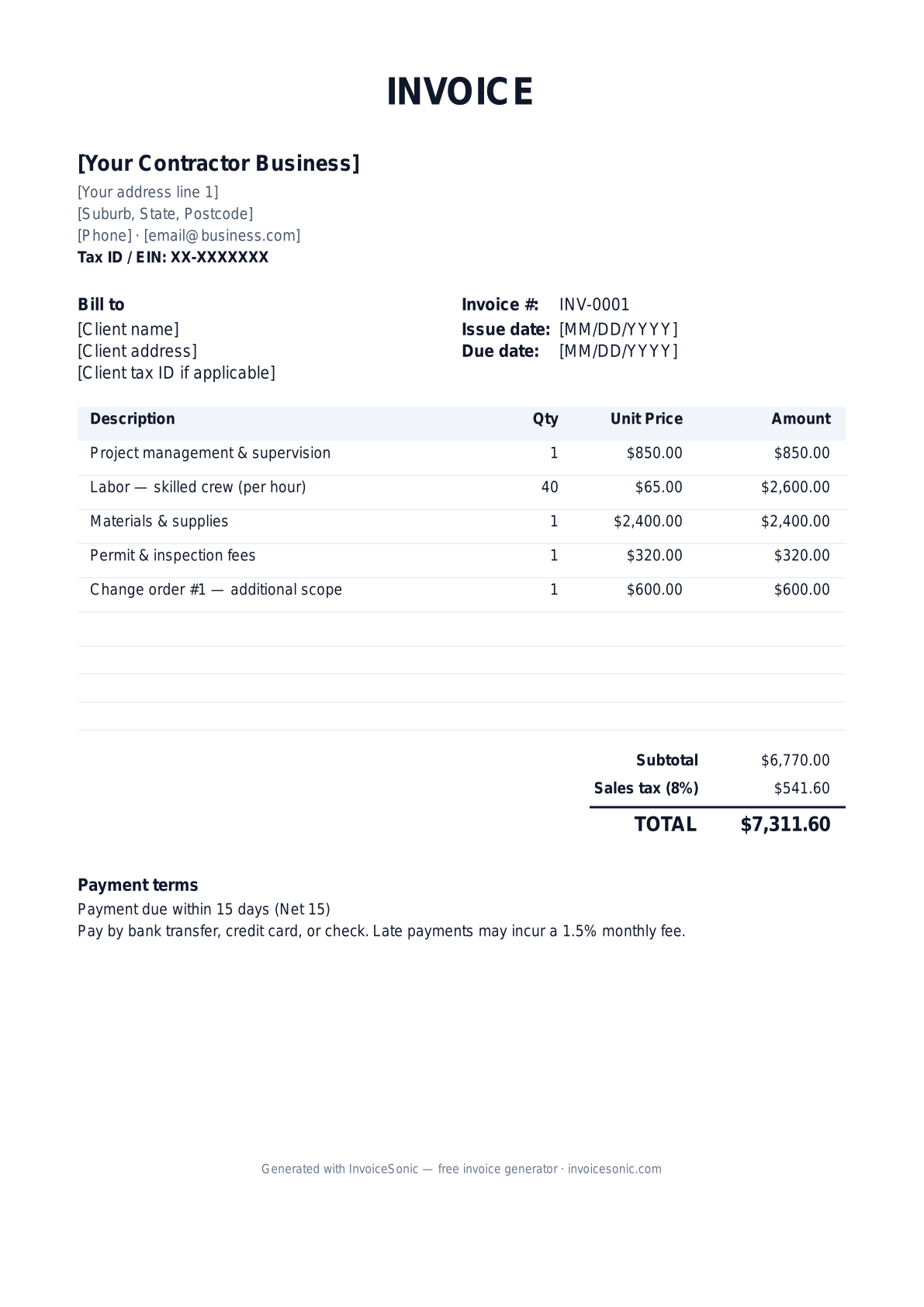
Download the contractor invoice template
Or build it online in 60 seconds
Use InvoiceSonic's free generator — auto-calculate tax, prefill your details, and email the PDF straight to your client. No formatting needed.
Try the live generator →What's on the contractor invoice template
| Description | Qty | Unit price | Amount |
|---|---|---|---|
| Project management & supervision | 1 | $850.00 | $850.00 |
| Labor — skilled crew (per hour) | 40 | $65.00 | $2,600.00 |
| Materials & supplies | 1 | $2,400.00 | $2,400.00 |
| Permit & inspection fees | 1 | $320.00 | $320.00 |
| Change order #1 — additional scope | 1 | $600.00 | $600.00 |
| Subtotal | $6,770.00 | ||
| Sales tax (8%) | $541.60 | ||
| Total | $7,311.60 | ||
Example figures — every field is editable in the download.
Who uses this template
- ✓General contractors
- ✓Independent 1099 contractors
- ✓Remodeling & renovation firms
- ✓Subcontractors billing a GC
- ✓Handyman and small-build operators
What to include
- ✓Your business name, EIN, and contractor license number
- ✓Client name and job-site address
- ✓Invoice number and Net 15 or Net 30 terms
- ✓Itemized labor hours and materials
- ✓Change orders listed separately
- ✓Retainage withheld and progress-billing percentage
- ✓Sales tax on taxable materials
Available in 5 formats
Word (.docx)
Fully editable in Microsoft Word, Google Docs, Apple Pages and LibreOffice — best for quick text edits.
Excel (.xlsx)
Line totals, subtotal and tax calculate automatically — best if you want the math done for you.
A clean, print-ready, fixed layout — best for emailing a finished invoice to a client.
Google Docs / Sheets
Open in your browser, then File → Make a copy to edit and share with your team.
Invoicing tips for contractor
- ✓ Bill by milestone or percentage-complete so cash flow tracks the build schedule
- ✓ List every change order as its own line with a signed authorization reference
- ✓ Separate labor from materials so the client sees a clear cost breakdown
- ✓ Note retainage (often 5-10%) and when the final release is due
- ✓ Include your license number and EIN to satisfy lien-waiver and 1099 requirements
Contractor invoice FAQ
Should I charge sales tax on a contractor invoice?
It depends on your state and whether you are a retailer or a consumer of materials. Many states tax materials but not labor on real-property work. Check your state department of revenue and itemize taxable materials separately.
What payment terms do contractors usually use?
Net 15 and Net 30 are common, but most contractors require a deposit up front and bill the remainder by milestone. Spell out the schedule and any late fee on the invoice.
What is retainage and where does it go on the invoice?
Retainage is a percentage (commonly 5-10%) the client holds back until the job is complete. Show the amount withheld on each progress invoice and bill the released balance on the final invoice.
Do I need my license number on the invoice?
In most states a licensed contractor must display the license number on contracts and invoices. It also reassures clients and is often required for lien waivers and permit reconciliation.
Related invoice templates
Prefer a specific format? Word invoice template · Excel invoice template · PDF invoice template · Google Docs invoice template · All invoice templates
A practical guide to contractor billing
Use the template as a starting layout, then replace its example information with the actual agreed work. The details below help you decide what to enter and what to check before sending.
Agree what this invoice covers
Decide whether the job is fixed-price, time-and-materials or milestone-based before you invoice it. A fixed-price invoice names the deliverable; a time-and-materials invoice shows measurable quantities. If the client asks for extra work, record the new scope and approval rather than silently changing the original price.
Give the payer enough context
Include the job number, client purchase order, service location and agreed billing stage. Check the legal billing name and delivery contact against the accepted work. Keep the accepted quote, recorded hours or stage sign-off, and approval for additional work available to resolve questions. An invoice records the charge; it does not replace the underlying approval or supporting documents.
Worked contractor invoice example
This time-and-materials example separates hours from materials. For a fixed-price job, use the agreed stage amount instead of presenting a second hourly calculation that could contradict the quote.
| Description | Quantity | Rate | Amount |
|---|---|---|---|
| Installation labour — approved additional work | 6 | 80.00 | 480.00 |
| Materials — itemised on attached schedule | 1 | 220.00 | 220.00 |
| Example subtotal | 700.00 | ||
Avoid this billing mistake
Using a new invoice number for every reminder makes one debt look like several. Keep the original number when following up. When creating the next milestone, use a new number and make clear which work it covers.
Follow up on the right record
Check the balance against recorded payments before sending a reminder. A completed project can still have unpaid earlier stages, even when there is nothing left to invoice. Review both the unbilled work and the outstanding invoices before closing the job.
Before you send
- Match the line items and quantities to the accepted scope and approved changes.
- Check the invoice number, issue date, explicit due date and the job number, client purchase order, service location and agreed billing stage.
- Apply only the tax treatment relevant to your business and location; check current local requirements if unsure.
- Keep earlier billing separate from actual payments. Verify the outstanding amount and payment instructions.
The free browser tool prepares the document. Saving customers, sending tracked invoices and managing reminders require an account and are subject to plan limits. Payment status needs accurate payment records; an invoice view alone does not confirm payment.