Free Illustration Invoice Template Invoice Template
A free, professional illustration invoice template you can download as Word, Excel, PDF, or Google Docs. Built for freelance illustrators billing clients for artwork, revisions, and usage rights. Itemize concepts, final art, and licensing so publishers and brands understand what they're paying for and what rights they're buying.
Download the illustration invoice template invoice template
Or build it online in 60 seconds
Use InvoiceSonic's free generator — auto-calculate tax, prefill your details, and email the PDF straight to your client. No formatting needed.
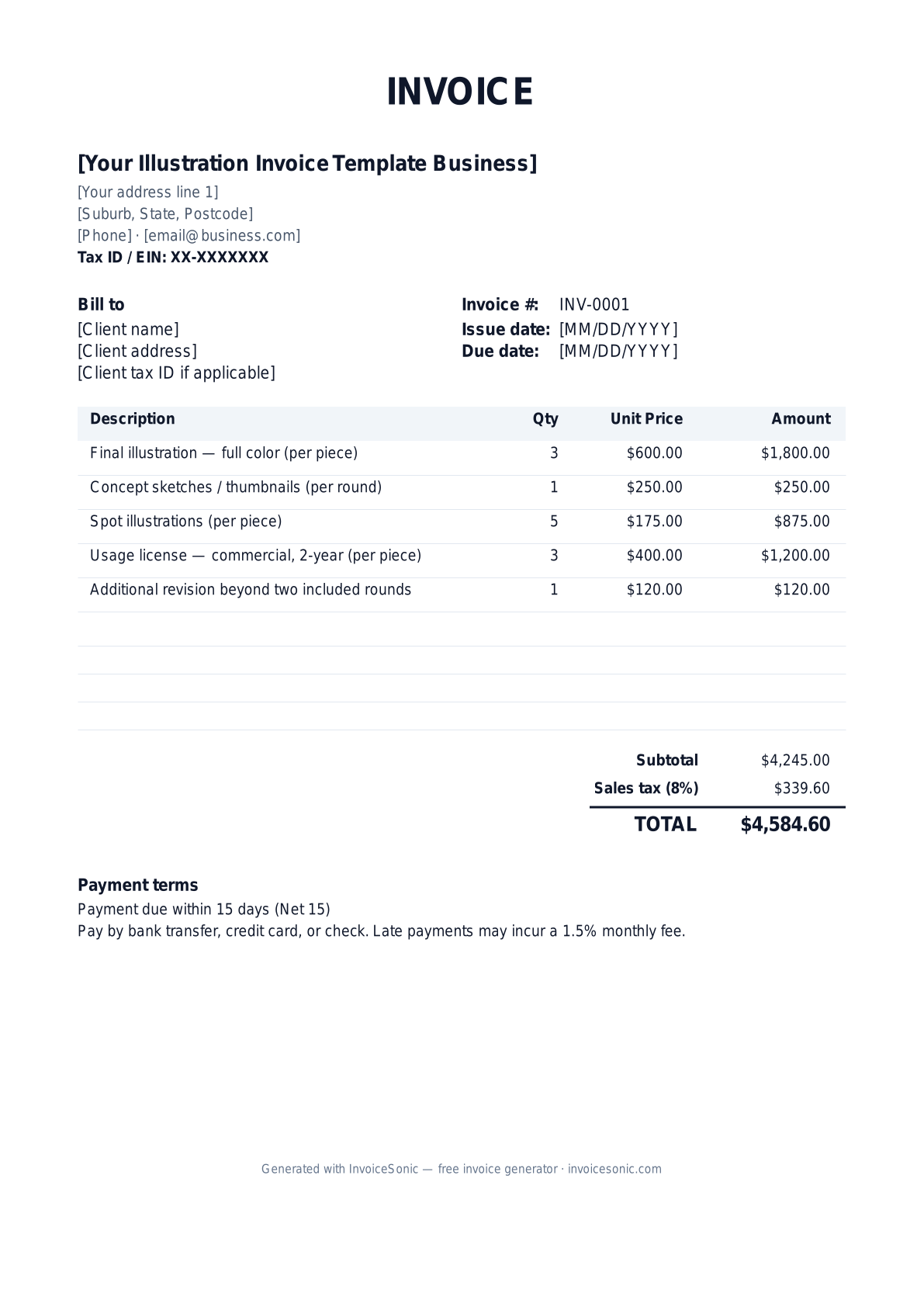
Try the live generator →What's on the illustration invoice template invoice template
| Description | Qty | Unit price | Amount |
|---|---|---|---|
| Final illustration — full color (per piece) | 3 | $600.00 | $1,800.00 |
| Concept sketches / thumbnails (per round) | 1 | $250.00 | $250.00 |
| Spot illustrations (per piece) | 5 | $175.00 | $875.00 |
| Usage license — commercial, 2-year (per piece) | 3 | $400.00 | $1,200.00 |
| Additional revision beyond two included rounds | 1 | $120.00 | $120.00 |
| Subtotal | $4,245.00 | ||
| Sales tax (8%) | $339.60 | ||
| Total | $4,584.60 | ||
Example figures — every field is editable in the download.
Who uses this template
- ✓Freelance illustrators
- ✓Editorial and book illustrators
- ✓Children's book artists
- ✓Concept artists
- ✓Surface-pattern and commercial illustrators
What to include
- ✓Client / project name and brief description
- ✓Each illustration and its size or format
- ✓Concept / sketch rounds and final art separately
- ✓Usage rights: term, territory, and media
- ✓Number of revision rounds included
- ✓Kill fee for cancelled work
- ✓Rush surcharge, Net 30 terms, and your EIN
Available in 5 formats
Word (.docx)
Fully editable in Microsoft Word, Google Docs, Apple Pages and LibreOffice — best for quick text edits.
Excel (.xlsx)
Line totals, subtotal and tax calculate automatically — best if you want the math done for you.
A clean, print-ready, fixed layout — best for emailing a finished invoice to a client.
Google Docs / Sheets
Open in your browser, then File → Make a copy to edit and share with your team.
Invoicing tips for illustration invoice template
- ✓ Sell usage rights as a separate line item — licensing terms (commercial vs. editorial, duration, territory) drive much of the value.
- ✓ Specify how many revision rounds are included so additional changes become billable add-ons.
- ✓ Include a kill fee on commissioned work so you're compensated if the client cancels mid-project.
- ✓ Bill concept/sketch stages and final art separately so a client who stops early still pays for delivered work.
- ✓ Add a rush surcharge for tight deadlines and state Net 30 terms with your EIN for 1099 reporting.
Illustration Invoice Template invoice FAQ
Do illustrators charge sales tax?
It varies by state. Custom illustration is often treated as a service, but some states tax artwork delivered as a tangible or digital good, especially when you transfer the file. Check your state and consider listing licensing separately from production.
How do I bill for usage rights?
List usage/licensing as its own line item defining the media, territory, and time period (e.g., commercial use, North America, 2 years). Broader or longer rights command higher fees, and limiting them lets you re-license the work later.
What is a kill fee and should it be on my invoice?
A kill fee compensates you when a client cancels a commissioned piece before completion — commonly 25–50% of the project fee. Note it in your terms so that if work is killed, you can invoice the agreed percentage.
How many revisions should I include?
Two rounds is a common standard. State the included number on the invoice and price additional rounds as add-on line items so scope creep doesn't eat your time for free.
Related invoice templates
Prefer a specific format? Word invoice template · Excel invoice template · PDF invoice template · Google Docs invoice template · All invoice templates