Quotes, conversion, invoice tracking · web and iPhone
Quoting Software
Agree the work once. Turn the quote into the invoice.
Quoting software should mean pricing the work once. Your customer accepts the quote online, and you should not have to type the same line items again. Create the quote, send it for a decision and convert it into an invoice when the work is ready to bill. InvoiceSonic keeps the customer and source quote connected, then shows whether the invoice was sent, viewed or paid.
Already have an account? Open Quotes
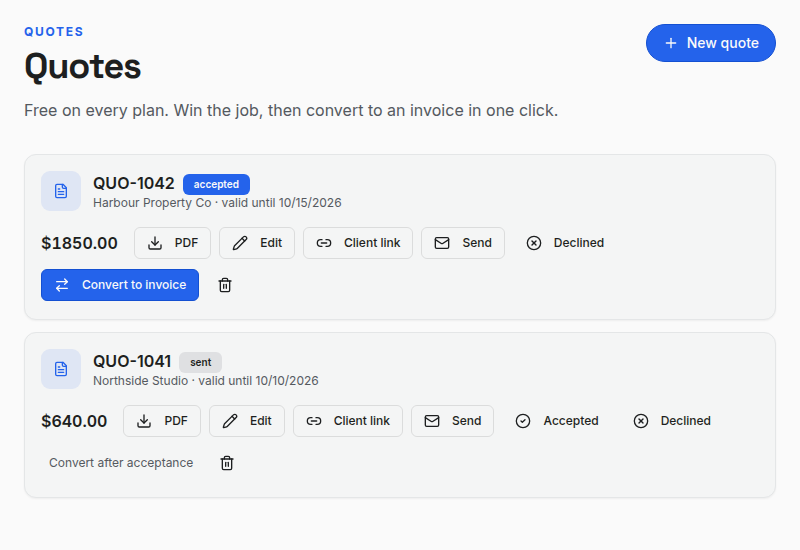
Keep the approved scope intact — The invoice starts with the accepted quote's client, line items and amounts. Review the final details before sending it.
Quote to invoice, in the product
The accepted scope becomes the starting invoice.
Build a quote with the work and price. Once accepted, convert it from Quotes; InvoiceSonic creates a new invoice using the quote's customer and line items, with a link back to the source quote.
- 01
Quote the scope
List the work, quantities, rates, tax and terms before asking the client to approve.
- 02
Convert when ready
An accepted quote can become a new invoice with its client and line items carried over.
- 03
Follow the payment
Send the invoice, see when it is viewed and record confirmed payment.
Product walkthrough
See the invoice side of the workflow
The product tour shows an invoice being built, sent, viewed and marked paid. Quote conversion happens from the Quotes list before this step.
Demo data · no sound · play when you are ready
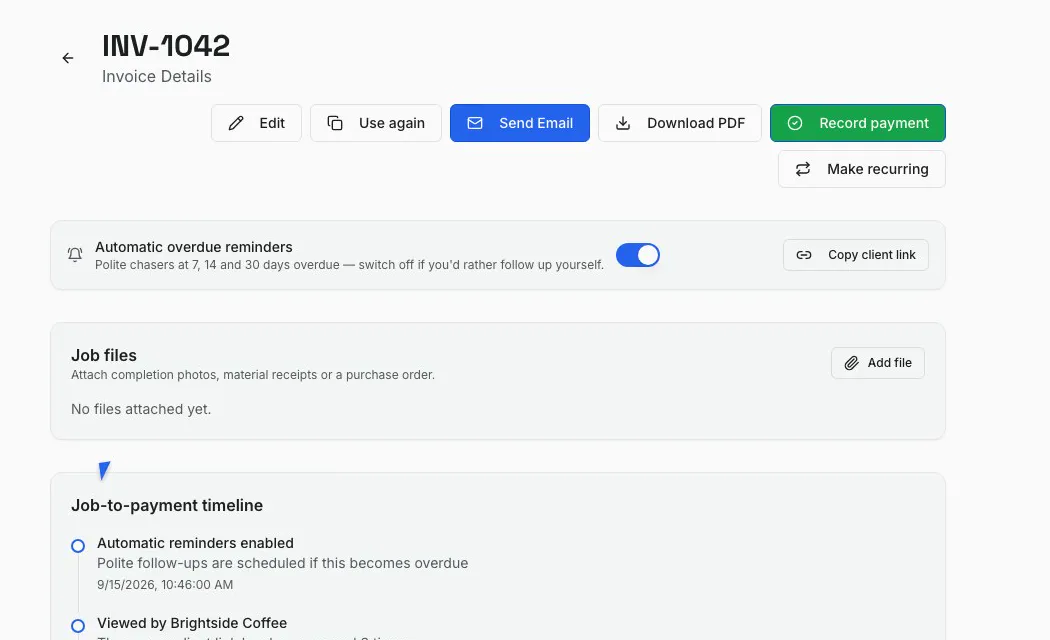
From proposed price to payment record
Professional quotations
Set out the scope, quantities, rates, tax, validity period and terms before the client approves the work.
Quote-to-invoice workflow
Use the accepted quotation as the basis of the invoice so the description and agreed price remain consistent.
Deposits and stages
State deposit or milestone terms on the quote, then review any prior payment before sending the final invoice.
Client and job records
Keep the quote, appointment and later invoice attached to the same customer and job.
Invoice tracking
See whether the invoice was sent, viewed, paid or overdue after the quote has done its job.
Payment reminders
Use invoice reminders according to your plan without changing the original quotation record.
How it works
-
1
Describe the scope and price
Create a quotation with the deliverables, exclusions, tax treatment, validity date and payment schedule.
-
2
Schedule the agreed job
Keep the accepted scope as the commercial reference, add approved changes and set the appointment for the work.
-
3
Create and track the invoice
Convert the accepted quote, review the dates and any deposit already paid, then send and monitor the invoice.
What carries across from quote to invoice?
A small electrical job makes the handoff concrete.
- Quote
- List the outlet installation, labour and materials as separate priced items. Send the quote for approval.
- Accepted
- Keep the approved quote as the source record. If the scope changes, agree the change before billing.
- Invoice
- Convert the quote into a new invoice. The client, amounts and line items are copied; check the final bill before sending.
- Payment
- Track the send and view history, then record payment when it is confirmed.
Takeaway: A converted quote starts the invoice; review dates, actual work and any deposit before you send the final payment request.
Keep the agreed price attached to the invoice
Create your first quote and manage the billing workflow in one account.
Start with a quoteFrequently asked questions
What is invoice and quotation software?
It is a system for preparing a price proposal before work starts and an invoice after the client approves or receives the work, while keeping customer and job information consistent.
What is the difference between a quotation and an invoice?
A quotation proposes the scope, price and terms before a sale is final. An invoice requests payment for work or goods supplied. A quote is not a tax invoice and should not be used to claim tax credits.
Can I invoice a deposit from a quotation?
Yes. State the deposit terms in the quote and create a separate deposit invoice. Review the final invoice and account for the amount already paid; quote conversion does not automatically deduct it.
Can the same software handle GST and sales tax?
Yes. InvoiceSonic supports Australian GST fields and US sales-tax labels, with country and currency settings that match the invoice.
Related tools & guides
Job management software · Quote template · Quote vs invoice · Deposit invoice · Invoice tracker