Invoice App
Send the invoice before you leave the job.
InvoiceSonic is a mobile invoice app for small business owners who want to send professional invoices from the job, not from the office that evening. Build the invoice on your phone in a few taps, send it, and know the moment your client opens it. Use it free in any browser, or install the iPhone and iPad app — the same account works on both, so an invoice started on a mobile device can be finished on a laptop.
Free to start · No signup for your first invoice · iPhone & iPad app · No cut of your payments
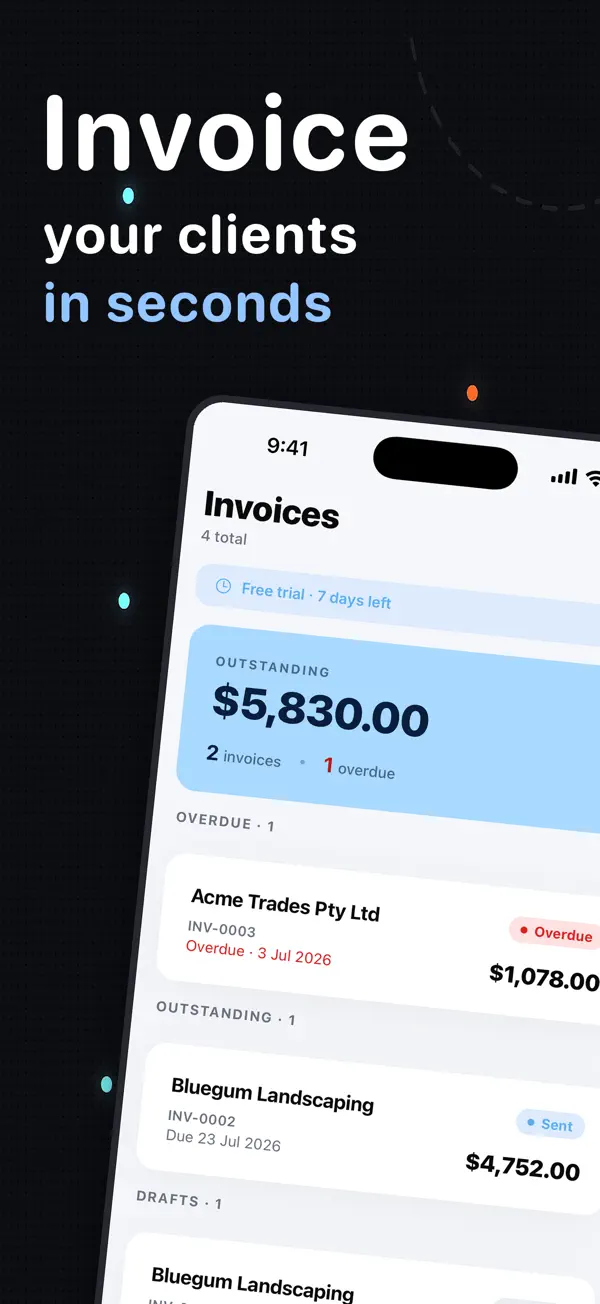
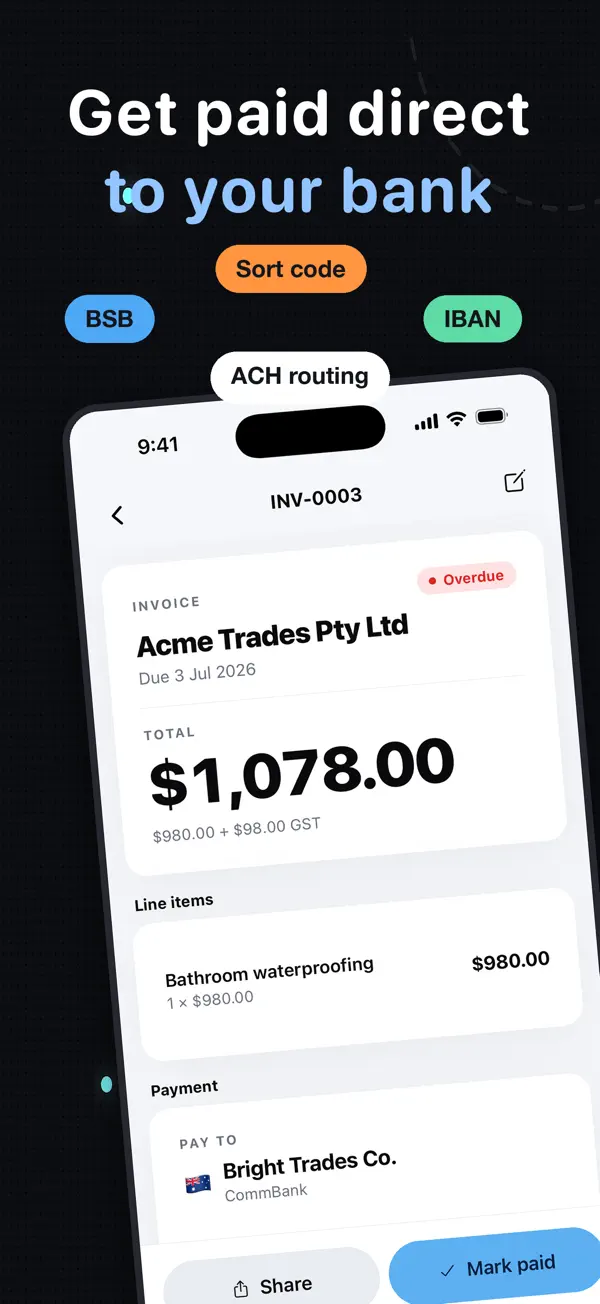
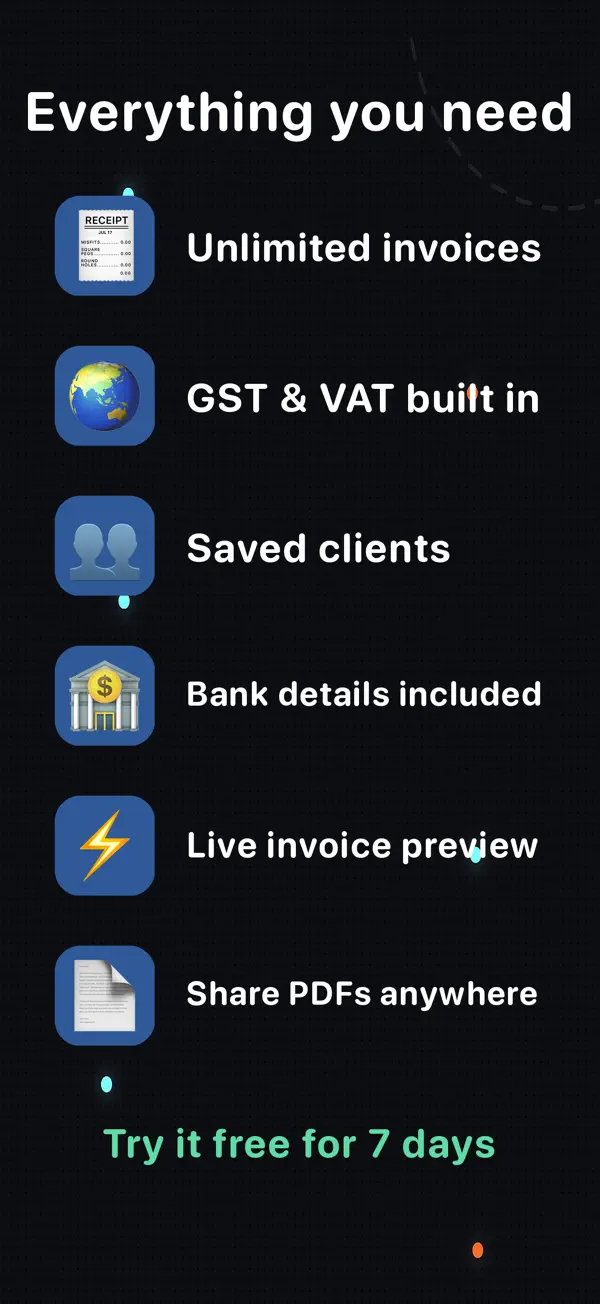
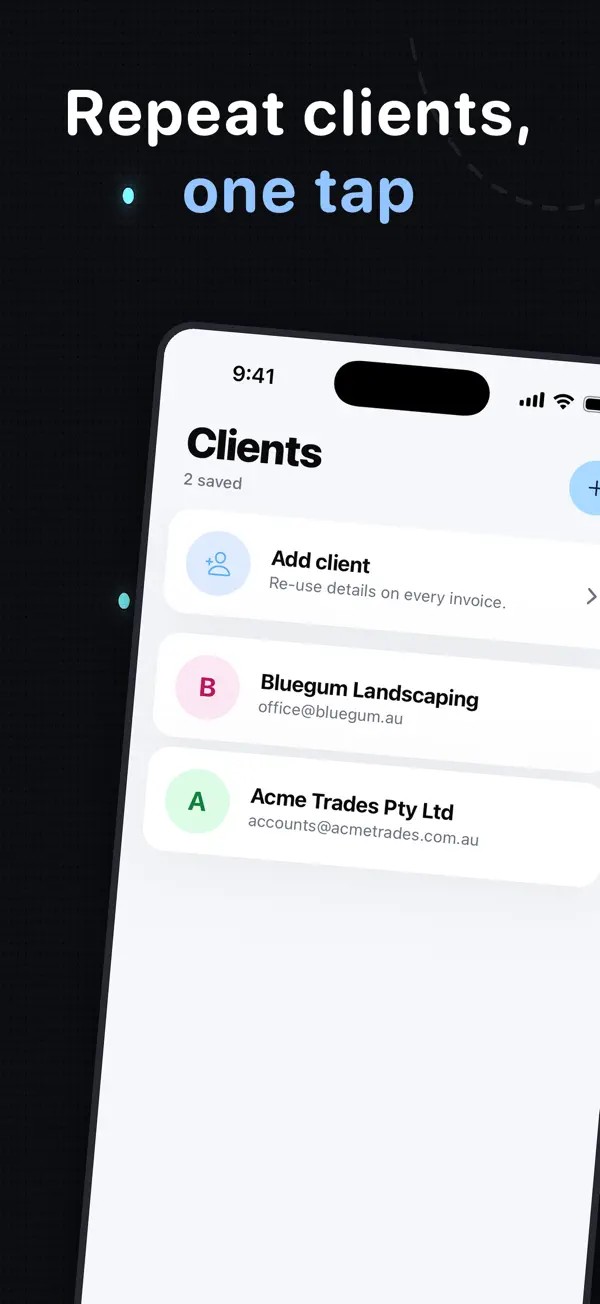
Actual screenshots from the InvoiceSonic iPhone app on the App Store
Browser or App Store — your choice — Use it free in any browser with nothing to install, or get the mobile app for iPhone and iPad. Your invoices, clients and settings sync across both, so nothing lives only on one device.
Create your invoice here — free
Enter the actual job details, review the totals and preview your invoice. You can start without an account. Downloads follow the free-tool limits; saving, tracked sending and reminders are available with an account.
Create your invoice online
What you get
Send professional invoices in seconds
Build a clean, itemised invoice in the app and email it straight to your client — no exporting, no attaching, no chasing files around your phone. Every invoice carries your business name, logo and payment terms.
Invoice from your phone, at the job
The mobile app is designed for a phone screen, not a shrunk-down desktop form. Add the client, line items and tax while the work is fresh; small businesses that invoice the same day get paid materially faster than the ones that batch it up for Friday.
Recurring invoices on autopilot
Bill the same client weekly, fortnightly or monthly. Set it once and the invoice goes out on schedule — retainers, maintenance contracts and subscriptions bill themselves.
Automatic payment reminders
Late payments are the biggest cash flow problem small business owners face. Overdue invoices get a polite, automatic reminder on the schedule you choose, so you never have to write the awkward message yourself.
Real-time notifications when it's opened
See the moment a client views your invoice, when it's due and what's still outstanding. "I never got it" stops being a reason not to pay.
Get paid your way — including free rails
Put bank transfer, PayID, Venmo, Cash App, Zelle or PayPal on the invoice. Card and online payments are welcome, but InvoiceSonic is not a payment processor, so it never takes a percentage of your money.
Your clients, saved
Client and item details are stored the first time you use them, so the second invoice takes seconds instead of starting from scratch. Every invoice is numbered in sequence for clean bookkeeping.
Tax handled for your country
GST for Australia and New Zealand, VAT for the UK, sales tax for the US and Canada — totals and tax calculate themselves as you type, so the maths on the invoice is never wrong.
How it works
-
1
Enter your details once
Add your business name, ABN or tax number, logo and how you want to be paid. The app remembers it for every invoice after this one.
-
2
Build the invoice in a few taps
Add your client and line items — quantities, rates, discounts and tax calculate automatically. Your first invoice can be created and downloaded without an account.
-
3
Send it and track it
Email it straight from the app or share a link. You'll see when it's opened, when it's due, and which invoices are overdue — and reminders go out automatically if it isn't paid.
Explore the invoice app guides
Choose the guide that matches how, where and who you invoice.
Best invoicing app →
Compare app types by how you bill — by job, hour, contract or recurring schedule.
Best invoice app →
What separates a good app from a great one: creation speed, mobile workflow, collection tools and total cost.
For freelancers →
Bill projects, retainers, deposits and hourly work as soon as it is delivered.
Freelance invoicing software →
Saved clients, consistent records, recurring billing and payment tracking for independent work.
Freelancer billing comparison →
Compare invoicing tools for projects, retainers and recurring client work.
Simple invoicing →
A stripped-back workflow for creating and sending an invoice without accounting-suite complexity.
For small business →
Mobile-first billing for owners who need to invoice close to the work.
Invoice software for small business →
Organise customers, invoice records, recurring billing and outstanding balances as volume grows.
Invoice maker →
Create a branded invoice, calculate tax, send it and track payment in one workflow.
For iPhone →
Install the native iPhone and iPad app and send invoices directly from the job.
Free invoice creator →
Build and download the first professional invoice without signing up.
Free plan →
Create up to three invoices per month on the free plan with no card required to start.
Make your first invoice now
No signup needed to start. Create it, download it, and send it in about a minute.
Create a free invoiceFrequently asked questions
Is there a free invoice app?
Yes. InvoiceSonic is free to use — you can create and download professional invoices without paying anything, and without signing up to make your first one. The free plan covers up to three saved invoices a month; a paid plan adds emailing from the app, recurring invoices, automatic payment reminders and payment tracking.
Do I need to download an invoice app?
Only if you want to. InvoiceSonic runs in any browser with nothing to install, and there is also a native mobile app for iPhone and iPad if you would rather invoice from your home screen. Both use the same account, so an invoice started on site can be finished at the desk. Android users can add the web app to their home screen and it behaves the same way.
What's the best invoice app for a small business?
The best one is the one you'll actually keep using. For most sole traders and small businesses that means: fast to create an invoice on a mobile device, easy to send, clear about how to pay, and it chases late payments for you. Full accounting suites are more powerful, but most small business owners never use the extra features and pay three to four times as much for them.
Can clients pay online through the invoice?
Yes. Put your bank details, PayID, Venmo, Cash App, Zelle or PayPal on the invoice and clients pay through whichever rail they already use. Because InvoiceSonic doesn't process the payment itself, there is no percentage taken out — a $2,000 invoice paid by bank transfer lands as $2,000.
Can I use the invoice app on my phone?
Yes. The app is built to work on a phone screen, so you can invoice from a job site or the car as soon as the work is done — which is when you're most likely to actually get it sent. The iPhone and iPad app is in the App Store; every other device uses the browser version.
How much does it cost?
Creating and downloading invoices is free. Pro is A$19/month and adds emailing invoices, recurring billing, automatic reminders, open tracking, your logo and branding, and unlimited saved clients and invoices.
Related tools & guides
Free invoice generator · Recurring invoices · Invoice app for Australia · Payment reminder emails · How to ask for payment · Venmo invoice template · Cash App invoice template · Zelle invoice template · PayPal invoice template · Bank transfer invoice template · Free receipt template