Mechanic Invoice Template
This mechanic invoice template is a free auto repair invoice template for Australian workshops and mobile mechanics: vehicle details, parts, labour and warranty terms on one page. Download it as Word, Excel or PDF, or fill it in online and hand the customer a PDF at collection.
Prefer to fill it in online? Use the free invoice tool ↓ Jump to Word, Excel and PDF downloads ↓Create a mechanic invoice online
Use the same free builder as our homepage to enter your details, check totals and preview the invoice. Start without an account; downloads follow the free-tool limits. Prefer an editable file? The Word, Excel and PDF options are below.
Create your invoice online
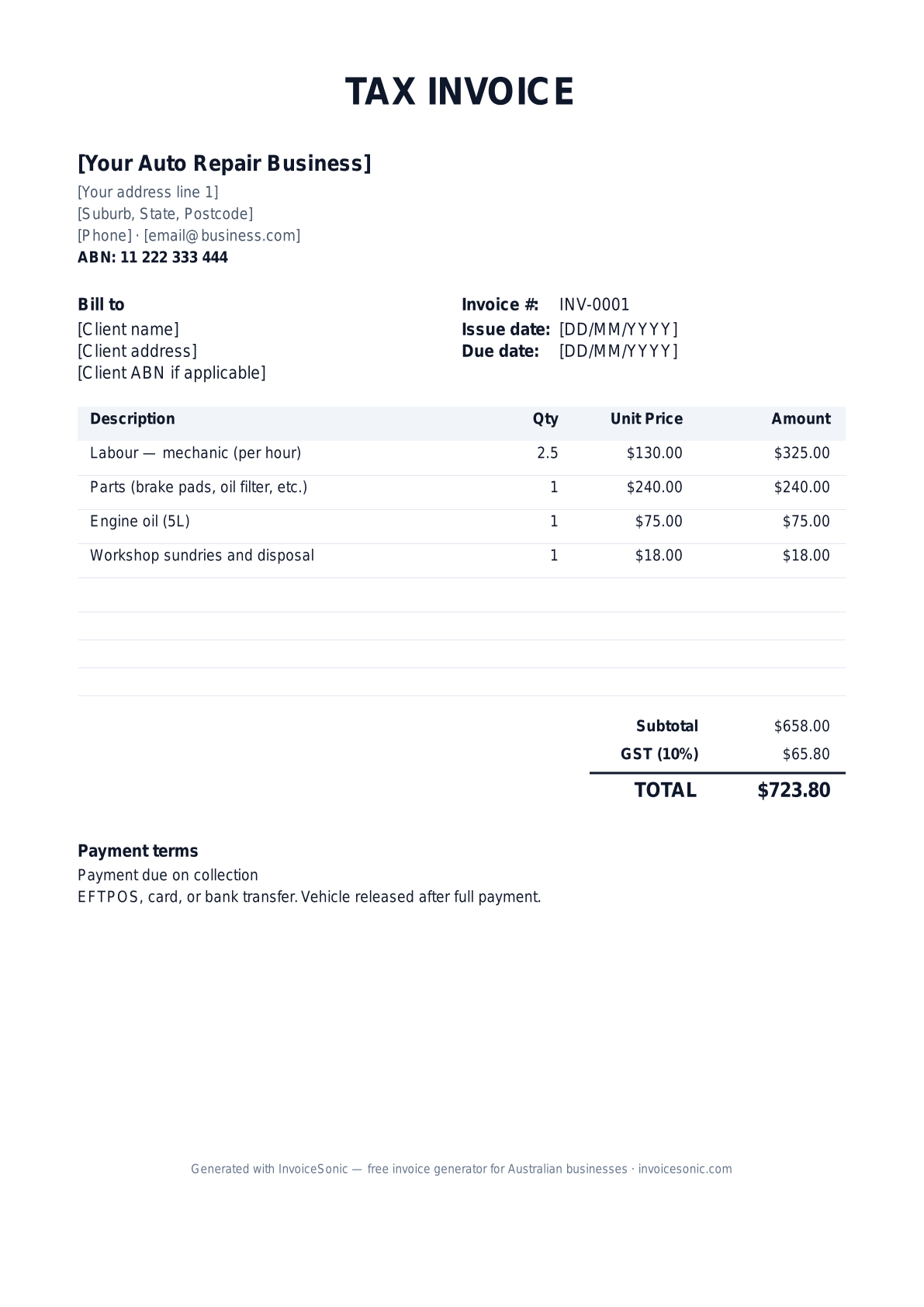
Preview of the mechanic invoice template — download editable Word, Excel or PDF below.
Prefer the online builder? It is right here
Enter your details, itemise the work and review the calculated totals in the tool above. Create an account when you want to save customers, send tracked invoices and manage reminders.
Try the live generator →Who uses this template
- ✓Independent mechanics and auto repair businesses
- ✓Mobile mechanics working from a van
- ✓Roadworthy and safety inspection stations
- ✓Specialist workshops — European, 4WD, diesel, vintage
- ✓Tyre, brake and exhaust shops
What to include on your invoice
- ✓Your business name, ABN and contact details, plus your repairer licence number if your state requires one
- ✓Customer name and vehicle details: registration, make, model, VIN and odometer reading
- ✓A unique invoice number, the invoice date and the job or work order number
- ✓Labour: hours worked × your hourly rate, described by task
- ✓Parts with part numbers, quantities and prices, kept separate from labour
- ✓Fluids, workshop sundries and disposal fees
- ✓A GST line if you are GST-registered, and the total amount due
- ✓Warranty terms on parts and workmanship, and your payment terms
Invoicing tips for mechanics
- 1.Record the odometer reading and VIN on every invoice. It supports warranty claims and gives the customer a clear service history.
- 2.Keep parts and labour on separate lines. If you mark up parts, be consistent about showing the retail price rather than your cost.
- 3.For logbook services, note that the manufacturer's specifications and genuine or equivalent parts were used — servicing by an independent mechanic does not by itself void a new-car warranty.
- 4.Roadworthy and safety inspections go by different names in each state — safety certificate in Queensland, roadworthy certificate in Victoria, pink slip in NSW. Name the inspection correctly and list the fee on its own line.
- 5.Release the vehicle on payment for private customers, and offer 14 or 30-day payment terms to fleet and business accounts.
Related automotive and trade templates
Frequently asked questions
Should a mechanic invoice list the vehicle rego and VIN?
Yes. Registration, make, model, VIN and odometer make the invoice useful for warranty claims, resale and the customer's own records.
How do I bill parts vs labour?
Itemise them separately. List each part with its price, then labour by task or hours. Customers and fleet managers expect to see the split.
Do I charge GST on roadworthy inspections?
If you are registered for GST, inspection fees are generally taxable like your other services, so show GST separately on a tax invoice.
Do mechanics need a licence number on invoices?
It depends on the state. NSW and WA license motor vehicle repair businesses; if you hold a licence, showing its number on invoices is good practice and may be required.
What payment terms suit an auto repair business?
Payment on collection is standard for private customers. Fleet and business customers usually get 14 or 30-day terms on account.
More free templates
A practical guide to auto repair billing
Use the template as a starting layout, then replace its example information with the actual agreed work. The details below help you decide what to enter and what to check before sending.
Agree what this invoice covers
Separate the diagnostic authorisation from the approved repair. Identify the vehicle and explain which labour and parts the estimate includes. If the repair changes after inspection, document the revised work and approval before billing it.
Give the payer enough context
Include the vehicle reference, repair-order number, visit date and relevant mileage record. Check the legal billing name and delivery contact against the accepted work. Keep the approved estimate, additional repair authorisation, parts supplied and labour record available to resolve questions. An invoice records the charge; it does not replace the underlying approval or supporting documents.
Worked auto repair invoice example
Diagnosis is separate here because the agreement bills it separately. If the diagnostic charge is credited against the repair, reflect that agreement rather than automatically charging both in full.
| Description | Quantity | Rate | Amount |
|---|---|---|---|
| Diagnostic labour | 1 | 85.00 | 85.00 |
| Approved repair labour | 2 | 85.00 | 170.00 |
| Replacement component | 1 | 140.00 | 140.00 |
| Example subtotal | 395.00 | ||
Avoid this billing mistake
Listing one total for ‘repair’ makes it hard to distinguish labour, parts and previously approved extras. Use clear descriptions and avoid presenting a part as replaced when it was only inspected or repaired.
Follow up on the right record
For fleet work, include the customer’s vehicle and purchase-order references. If a third party is paying, confirm the authorised payer and scope; an owner’s approval does not necessarily establish a warranty provider’s payment obligation.
Before you send
- Match the line items and quantities to the accepted scope and approved changes.
- Check the invoice number, issue date, explicit due date and the vehicle reference, repair-order number, visit date and relevant mileage record.
- Apply only the tax treatment relevant to your business and location; check current local requirements if unsure.
- Keep earlier billing separate from actual payments. Verify the outstanding amount and payment instructions.
The free browser tool prepares the document. Saving customers, sending tracked invoices and managing reminders require an account and are subject to plan limits. Payment status needs accurate payment records; an invoice view alone does not confirm payment.