Free Web Developer Invoice Template
A free, professional web developer invoice template for Australian developers and digital agencies. Download as Word, Excel, or PDF — for project work, hourly contracts, and monthly retainers.
Prefer to fill it in online? Use the free invoice tool ↓ Jump to Word, Excel and PDF downloads ↓Create a web developer invoice online
Use the same free builder as our homepage to enter your details, check totals and preview the invoice. Start without an account; downloads follow the free-tool limits. Prefer an editable file? The Word, Excel and PDF options are below.
Create your invoice online
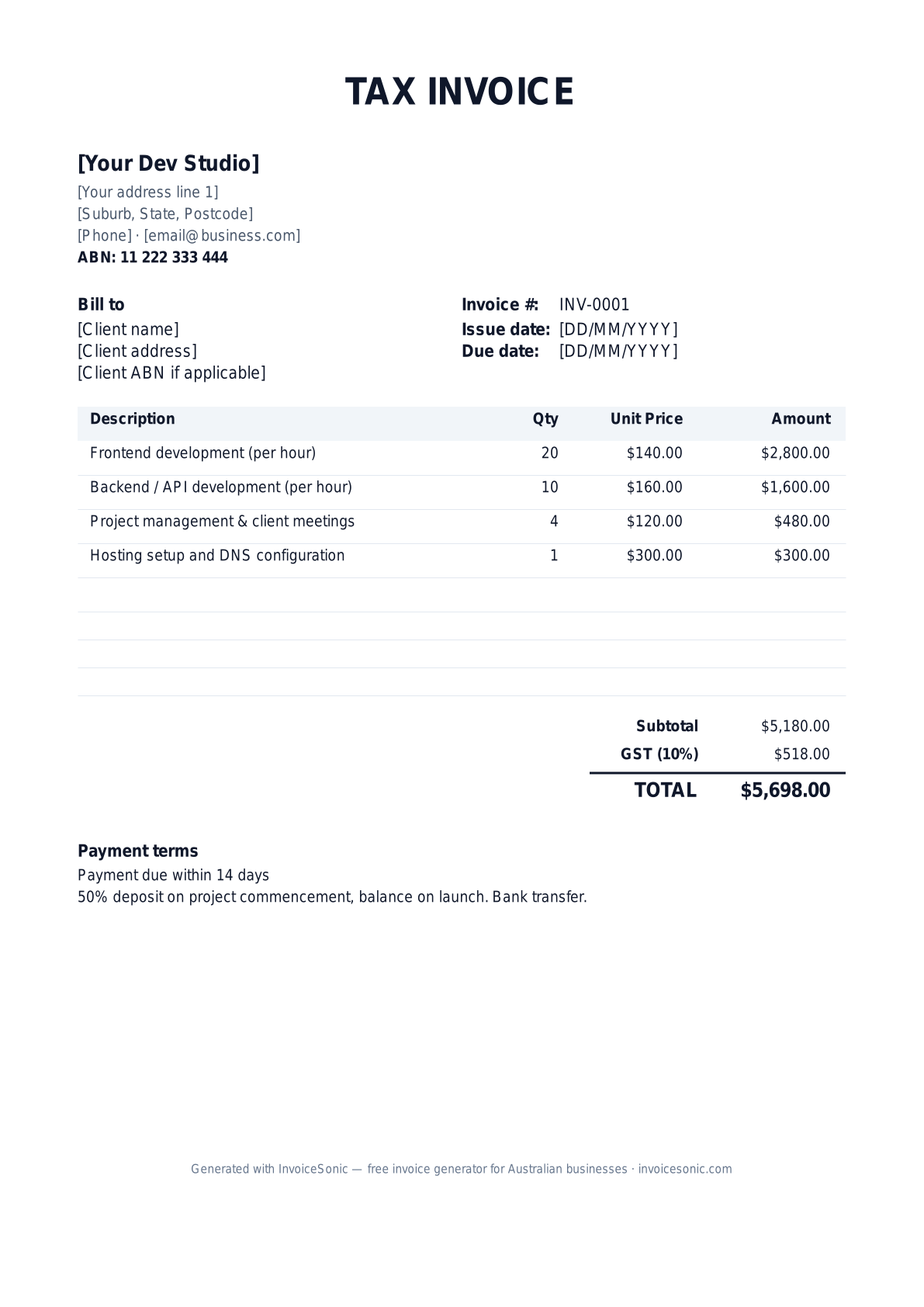
Preview of the web developer invoice template — download editable Word, Excel or PDF below.
Prefer the online builder? It is right here
Enter your details, itemise the work and review the calculated totals in the tool above. Create an account when you want to save customers, send tracked invoices and manage reminders.
Try the live generator →Who uses this template
- ✓Freelance web developers
- ✓Full-stack developers
- ✓WordPress and Shopify specialists
- ✓Web design agencies
- ✓No-code/low-code consultants
What to include on your invoice
- ✓Business name and ABN
- ✓Client name and project name
- ✓Hours per task or fixed-fee breakdown
- ✓Hourly rate or project fee
- ✓Hosting/third-party costs (separately)
- ✓GST line and total
- ✓Payment terms
Invoicing tips for web developers
- 1.Always take 50% deposit on commencement for new clients
- 2.Itemise by task (frontend/backend/PM) so clients see where time went
- 3.List third-party costs (hosting, plugins, fonts) separately at cost
- 4.For retainer clients, invoice on the 1st of the month for that month
- 5.Include a clear scope reference (SOW, GitHub issue, Asana task)
Frequently asked questions
Should web devs charge GST?
If your annual turnover exceeds $75,000 — yes. Many freelancers register voluntarily once they hit $50-60K so they can claim GST on tooling.
Hourly or fixed-fee billing?
Fixed-fee for well-scoped projects, hourly for ongoing maintenance or research-heavy work. Most experienced devs charge fixed-fee with a clear scope.
How do I bill clients in different countries?
You can invoice in any currency, but report all values in AUD on your BAS. The template supports multi-currency invoices.
What payment terms work?
Net 14 standard, Net 7 for small jobs, Net 30 for corporate clients. Always take a deposit.
More free templates
A practical guide to software development billing
Use the template as a starting layout, then replace its example information with the actual agreed work. The details below help you decide what to enter and what to check before sending.
Agree what this invoice covers
Separate implementation, support and third-party costs. For milestones, define the deliverable and acceptance point; for time-based work, identify the service period and agreed rate. Keep a change request separate from a defect correction already included in the scope.
Give the payer enough context
Include the project or support-ticket reference, service period and approved milestone. Check the legal billing name and delivery contact against the accepted work. Keep the statement of work, accepted change requests and time or delivery summary available to resolve questions. An invoice records the charge; it does not replace the underlying approval or supporting documents.
Worked software development invoice example
This example bills a completed milestone plus support outside its agreed scope. If hosting or licences are reimbursable, identify the supplier cost and period rather than adding an unexplained recurring amount.
| Description | Quantity | Rate | Amount |
|---|---|---|---|
| Implementation milestone — accepted release | 1 | 1,800.00 | 1,800.00 |
| Additional support hours — authorised | 3 | 90.00 | 270.00 |
| Example subtotal | 2,070.00 | ||
Avoid this billing mistake
Copying last month’s support period into a new invoice obscures what was delivered. Check tickets, hours, subscription periods and whether any prepaid support balance applies.
Follow up on the right record
If the client disputes completion, use the agreed acceptance criteria and delivery record. Keep the billing tool separate from issue tracking, release management and technical acceptance; invoice status alone does not prove that software was accepted.
Before you send
- Match the line items and quantities to the accepted scope and approved changes.
- Check the invoice number, issue date, explicit due date and the project or support-ticket reference, service period and approved milestone.
- Apply only the tax treatment relevant to your business and location; check current local requirements if unsure.
- Keep earlier billing separate from actual payments. Verify the outstanding amount and payment instructions.
The free browser tool prepares the document. Saving customers, sending tracked invoices and managing reminders require an account and are subject to plan limits. Payment status needs accurate payment records; an invoice view alone does not confirm payment.