Free Graphic Designer Invoice Template
A free, professional graphic designer invoice template for Australian creatives and design studios. Download as Word, Excel, or PDF — formatted for project-based, retainer, and per-deliverable invoicing.
Prefer to fill it in online? Use the free invoice tool ↓ Jump to Word, Excel and PDF downloads ↓Create a graphic designer invoice online
Use the same free builder as our homepage to enter your details, check totals and preview the invoice. Start without an account; downloads follow the free-tool limits. Prefer an editable file? The Word, Excel and PDF options are below.
Create your invoice online
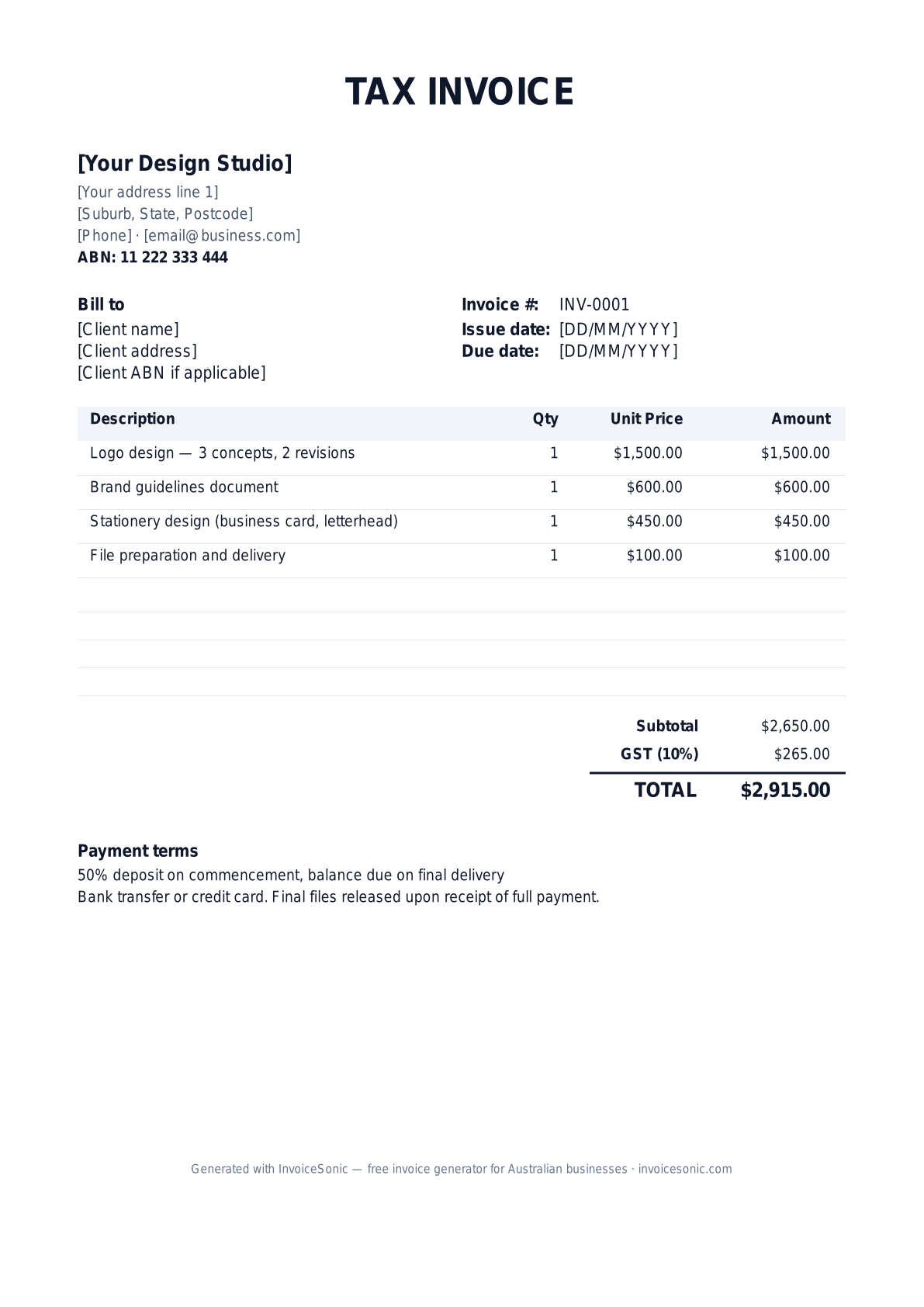
Preview of the graphic designer invoice template — download editable Word, Excel or PDF below.
Prefer the online builder? It is right here
Enter your details, itemise the work and review the calculated totals in the tool above. Create an account when you want to save customers, send tracked invoices and manage reminders.
Try the live generator →Who uses this template
- ✓Freelance graphic designers
- ✓Brand identity designers and studios
- ✓Print and packaging designers
- ✓Logo and visual identity specialists
- ✓Design consultants on retainer
What to include on your invoice
- ✓Business name and ABN
- ✓Client name and project reference
- ✓Scope of deliverables (concepts, revisions, final files)
- ✓Hourly rate or project fee
- ✓File preparation and delivery format
- ✓Usage rights and licensing terms
- ✓GST line and total amount due
Invoicing tips for graphic designers
- 1.Always specify revision rounds — "2 revisions included, $X each thereafter"
- 2.Release final files only after full payment is received
- 3.For retainer clients, invoice on the 1st of the month for the following month's work
- 4.Itemise stock photo or font licences separately if you sourced them for the client
- 5.For ongoing brand work, consider a monthly retainer rather than per-project invoices
Frequently asked questions
Should graphic designers charge GST?
Only if your annual turnover exceeds $75,000. Below that, GST registration is optional. The template handles both cases — just remove the GST line if not registered.
How do I bill for design revisions?
Quote a number of revisions included (typically 2-3 rounds) and an hourly rate for additional revisions. List included revisions in the scope and bill extras as separate line items.
When should I release final files to clients?
After full payment is received. Many designers send a watermarked PDF preview before final payment, then release working files (AI, PSD, source) only after the invoice is paid.
What payment terms work for design work?
50% deposit on commencement and 50% on completion is the industry standard. For retainer clients, monthly upfront billing on the 1st works well.
More free templates
A practical guide to design billing
Use the template as a starting layout, then replace its example information with the actual agreed work. The details below help you decide what to enter and what to check before sending.
Agree what this invoice covers
Name the design deliverable, included concepts and revision allowance. Separate the design fee from purchased assets, printing or production costs. A new concept after approval is different from a correction inside the agreed revision round; record the distinction before billing extra work.
Give the payer enough context
Include the project name, approved deliverable, milestone and proposal reference. Check the legal billing name and delivery contact against the accepted work. Keep the accepted brief, revision approvals and delivery record available to resolve questions. An invoice records the charge; it does not replace the underlying approval or supporting documents.
Worked design invoice example
The agreed milestone and authorised extra revisions are separately visible. Substitute the actual deliverable, such as a layout, illustration or room scheme. Do not describe a draft as a completed final delivery.
| Description | Quantity | Rate | Amount |
|---|---|---|---|
| Approved design milestone | 1 | 650.00 | 650.00 |
| Additional revision hours — approved | 2 | 70.00 | 140.00 |
| Example subtotal | 790.00 | ||
Avoid this billing mistake
Leaving asset licences or production purchases unnamed can make them look like additional design fees. Explain what was purchased and whether it was included in the original scope.
Follow up on the right record
Confirm the approver has accepted the billed stage and the finance contact has the correct reference. Keep ownership and usage terms in the engagement agreement; an invoice description should not silently change them.
Before you send
- Match the line items and quantities to the accepted scope and approved changes.
- Check the invoice number, issue date, explicit due date and the project name, approved deliverable, milestone and proposal reference.
- Apply only the tax treatment relevant to your business and location; check current local requirements if unsure.
- Keep earlier billing separate from actual payments. Verify the outstanding amount and payment instructions.
The free browser tool prepares the document. Saving customers, sending tracked invoices and managing reminders require an account and are subject to plan limits. Payment status needs accurate payment records; an invoice view alone does not confirm payment.