Free Consultant Invoice Template
A free, professional consultant invoice template for Australian business consultants. Download as Word, Excel, or PDF — formatted for hourly billing, day rates, project fees, and retainers.
Prefer to fill it in online? Use the free invoice tool ↓ Jump to Word, Excel and PDF downloads ↓Create a consultant invoice online
Use the same free builder as our homepage to enter your details, check totals and preview the invoice. Start without an account; downloads follow the free-tool limits. Prefer an editable file? The Word, Excel and PDF options are below.
Create your invoice online
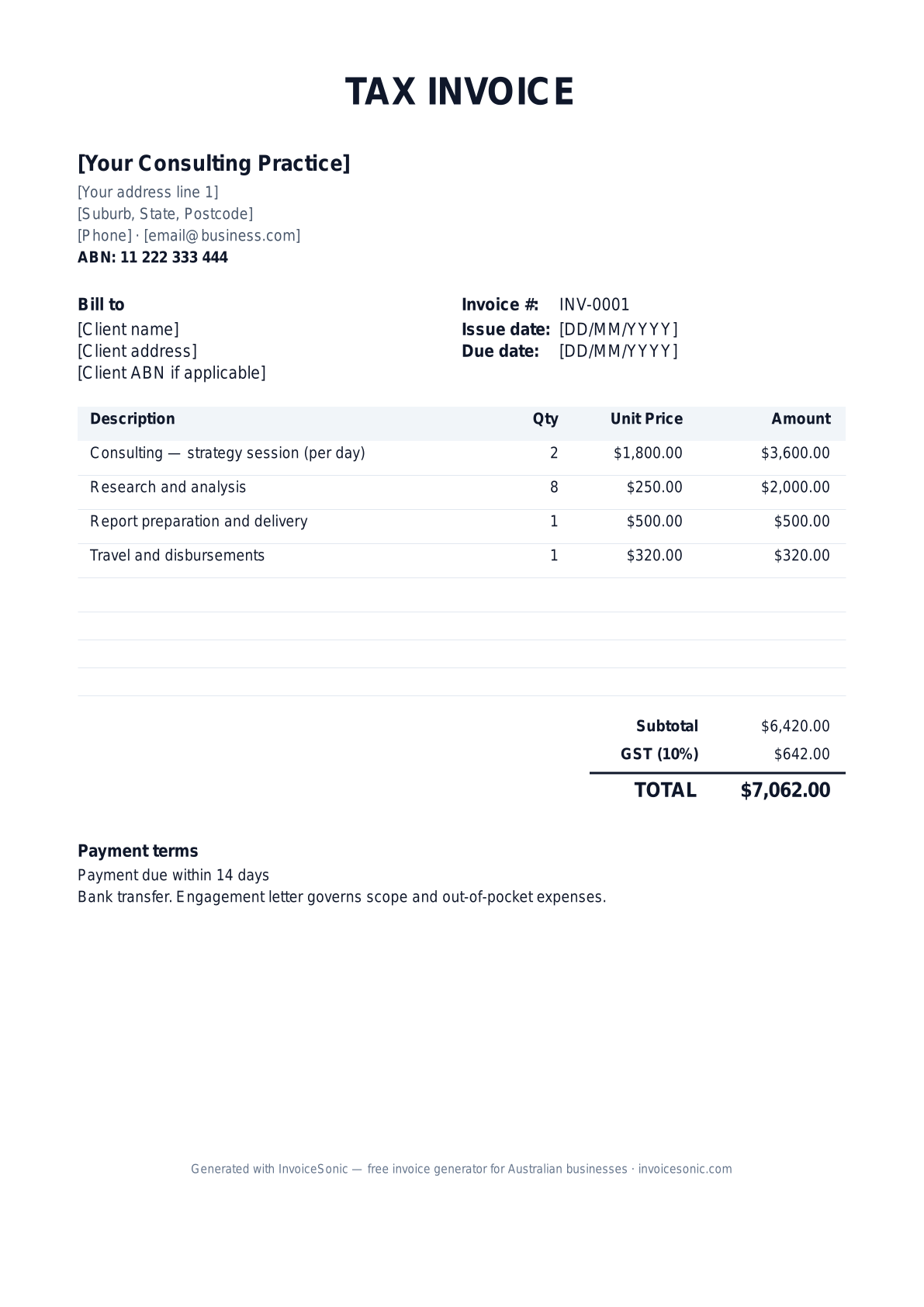
Preview of the consultant invoice template — download editable Word, Excel or PDF below.
Prefer the online builder? It is right here
Enter your details, itemise the work and review the calculated totals in the tool above. Create an account when you want to save customers, send tracked invoices and manage reminders.
Try the live generator →Who uses this template
- ✓Management and strategy consultants
- ✓IT and technology consultants
- ✓HR and recruitment consultants
- ✓Marketing and growth consultants
- ✓Financial and operational advisors
What to include on your invoice
- ✓Business name and ABN
- ✓Client name and engagement reference
- ✓Hourly rate, day rate, or fixed project fee
- ✓Hours/days worked with date breakdown
- ✓Expenses and disbursements (itemised)
- ✓GST line and total amount due
- ✓Payment terms (typically Net 14 or Net 30)
Invoicing tips for consultants
- 1.Reference the engagement letter or SOW on every invoice
- 2.For hourly billing, include a timesheet summary by date or workstream
- 3.Itemise disbursements (travel, software, third-party costs) separately from fees
- 4.For retainers, invoice on the 1st of the month for that month's work
- 5.Send invoices weekly or fortnightly to keep cash flow steady
Frequently asked questions
Do consultants need to charge GST?
If your turnover is over $75,000 per year, yes. Most established consultants are GST-registered. The template includes a 10% GST line you can remove if not applicable.
Should I bill hourly or by project?
Hourly suits open-ended work; fixed-fee suits well-scoped projects. Day rates work for workshop or executive-coaching engagements. The template handles all three — just adjust the line items.
How do I invoice for travel and expenses?
List travel, accommodation, and other disbursements as separate line items at cost (or with a small markup if your engagement letter allows). Always attach receipts for expenses over $100.
What payment terms should consultants use?
Net 14 for SMB clients, Net 30 for corporate. For long engagements, invoice fortnightly or monthly rather than at the end — protects your cash flow.
More free templates
A practical guide to consulting billing
Use the template as a starting layout, then replace its example information with the actual agreed work. The details below help you decide what to enter and what to check before sending.
Agree what this invoice covers
Identify whether you are billing consulting days, an agreed deliverable or a retainer period. Define the approval point for milestone work and how authorised expenses are handled. Avoid mixing a fixed deliverable fee with the same time already included in that fee.
Give the payer enough context
Include the engagement name, statement-of-work reference, billing period and purchase order. Check the legal billing name and delivery contact against the accepted work. Keep the accepted statement of work, approved timesheet or milestone acceptance, and expense approval available to resolve questions. An invoice records the charge; it does not replace the underlying approval or supporting documents.
Worked consulting invoice example
This engagement bills three days at the agreed rate plus an authorised expense. For a milestone engagement, substitute the accepted milestone and fee. Specify the service period so the client can distinguish this bill from the next one.
| Description | Quantity | Rate | Amount |
|---|---|---|---|
| Advisory days — agreed engagement | 3 | 600.00 | 1,800.00 |
| Approved travel expense | 1 | 80.00 | 80.00 |
| Example subtotal | 1,880.00 | ||
Avoid this billing mistake
Sending an invoice before checking procurement requirements can delay approval even when the work is accepted. Ask for vendor setup, purchase-order and submission requirements before the first billing date.
Follow up on the right record
When following up, identify whether the delay is approval, missing information or payment processing. Send the specific document needed rather than repeatedly issuing new invoices. Track the original balance until funds are recorded.
Before you send
- Match the line items and quantities to the accepted scope and approved changes.
- Check the invoice number, issue date, explicit due date and the engagement name, statement-of-work reference, billing period and purchase order.
- Apply only the tax treatment relevant to your business and location; check current local requirements if unsure.
- Keep earlier billing separate from actual payments. Verify the outstanding amount and payment instructions.
The free browser tool prepares the document. Saving customers, sending tracked invoices and managing reminders require an account and are subject to plan limits. Payment status needs accurate payment records; an invoice view alone does not confirm payment.