Carpentry Invoice Template
This carpentry invoice template follows the way carpentry businesses actually bill: timber, sheet materials and hardware on separate lines from workshop labour and on-site installation hours. Carpentry covers everything from custom joinery and built-in cabinetry to decks, renovations and structural framing, so the invoice usually follows the size of the job. A fitted wardrobe might need one deposit and one final bill; a larger renovation is billed against the quote number, with progress claims as each stage is completed, so every invoice shows what has been done and what is still to come. Quote the original quote or job number on every invoice to keep accurate records, bill approved variations as their own lines, and list delivery of large prefab items rather than absorbing it. If you are registered for GST, show the 10 percent separately with your ABN, and say when payment is due, commonly a deposit up front with the balance on completion. Download the template as Word, Excel or PDF, or fill it in online and export a PDF in a few clicks, with no signup.
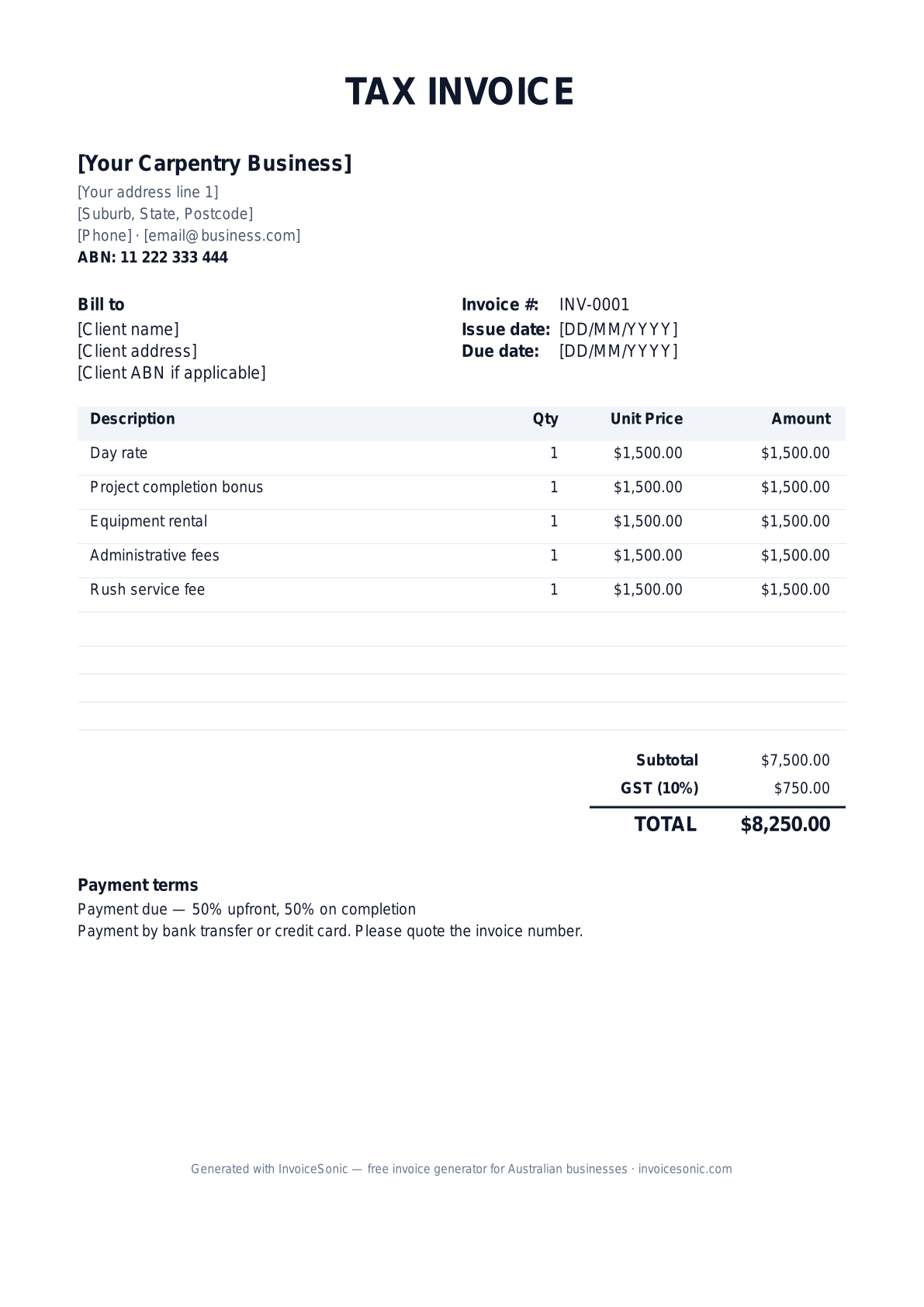
Preview of the carpentry invoice template — create or download yours free.
Why Carpentry Professionals Choose InvoiceSonic
Industry-specific invoicing tools designed for Carpentry
Industry-Specific Templates
Pre-built templates tailored for Carpentry with common line items and payment terms.
Fast Invoice Creation
Create professional Carpentry invoices in under 2 minutes with our streamlined interface.
GST Compliant
Automatic GST calculations ensure your Carpentry invoices meet Australian tax requirements.
Professional Branding
Add your logo and customize colors to match your Carpentry business brand.
Client Management
Keep track of all your Carpentry clients and their payment history in one place.
Recurring Billing
Perfect for Carpentry businesses with ongoing service contracts and subscriptions.
Common Services for Carpentry
Typical services you can include on your Carpentry invoices:
- ✓ Custom cabinetry & joinery
- ✓ Deck & pergola construction
- ✓ Internal wall framing
- ✓ Door & window installation
- ✓ Shop fit-out carpentry
- ✓ Renovation & repair work
Average Invoice Value: set by the job — a small repair and a full kitchen fit-out are priced very differently | Payment Terms: a deposit up front, progress claims per stage, balance on completion
Typical Line Items on Carpentry Invoices
Common billable items carpentry businesses include on invoices:
- ✓ Labour — carpenter (hourly or day rate)
- ✓ Timber & sheet materials (itemised by grade)
- ✓ Hardware & fixings
- ✓ Workshop fabrication fee
- ✓ Installation & fitting on site
- ✓ Approved variation (with variation number)
- ✓ Delivery of large prefab items
- ✓ Progress claim — stage 2 of 3
Invoicing Tips for Carpentry
- ✓ Match progress claims to quote stages (materials ordered, install, completion)
- ✓ Itemize hardware and timber grades — clients compare to retail
- ✓ Note lead time for custom orders on deposit invoices
- ✓ Include drawing revision reference if scope changed
- ✓ Show your builder or contractor licence number if your state requires it on trade paperwork — rules differ between states, so check with your licensing body
- ✓ Chase overdue invoices before raising the next progress claim, and keep the two separate
Carpentry invoicing software that matches how carpenters bill
Carpentry billing has a shape most generic tools ignore: a quote that becomes a deposit invoice, then progress invoices as stages complete, with materials and labour itemised separately. Construction-grade platforms (Buildxact, Tradify, simPRO) handle this alongside estimating and takeoffs — at construction-platform prices and learning curves.
For sole-trader carpenters and small crews, dedicated invoicing covers the actual billing workflow: itemised materials vs labour line items, deposit and progress invoices against a job, GST handled correctly, and payment by PayID or bank transfer so you keep the card fees. Start with the free generator — no signup — or see the full invoicing software comparison for Australia.
- ✓ Separate materials and labour line items (with your markup intact)
- ✓ Deposit, progress and final invoices for staged jobs
- ✓ GST-compliant tax invoices with ABN — ready for builders and owner clients
- ✓ PayID and bank transfer so you're not losing 1.75% to card fees
Common Carpentry Invoicing Mistakes to Avoid
- ✓ Single-line "carpentry work" invoices on jobs over $1,000
- ✓ Not invoicing variations after oral approval only
- ✓ Forgetting to charge for delivery of large prefab items
- ✓ Omitting GST on labour and materials for registered businesses
- ✓ Billing a progress claim before the stage is actually complete
Carpentry Invoicing FAQ
What should I include on a Carpentry invoice?
Your Carpentry invoice should include your ABN, business details, client information, detailed line items for services or products, payment terms (typically a deposit up front, progress claims per stage, balance on completion), GST breakdown, and total amount due.
How do I price my Carpentry services?
The average invoice value for Carpentry is set by the job — a small repair and a full kitchen fit-out are priced very differently. Consider your experience, market rates, overhead costs, and the value you provide when setting prices for your services.
What payment terms are standard in Carpentry?
Most Carpentry businesses use payment terms of a deposit up front, progress claims per stage, balance on completion. However, you can adjust based on your relationship with the client and cash flow needs.
Can I create recurring invoices for Carpentry clients?
Yes! InvoiceSonic allows you to set up recurring invoices for regular Carpentry clients. This is perfect for ongoing contracts, maintenance agreements, or subscription-based services.
What's the best invoicing software for carpenters in Australia?
For full job management (estimating, scheduling, takeoffs), construction platforms like Buildxact or Tradify are built for it at $40+/user/month. For invoicing alone — deposits, progress claims, materials + labour line items, GST — InvoiceSonic's free generator or the $19/month Pro plan covers a sole-trader carpenter's billing without the platform overhead.
More trade invoice templates
Templates for the trades you work alongside, plus the estimate and progress documents that come before the final invoice.
Carpentry Invoice Template — Locations & Related
Carpentry by city (AU)
- Carpentry invoices in Sydney
- Carpentry invoices in Melbourne
- Carpentry invoices in Brisbane
- Carpentry invoices in Perth
- Carpentry invoices in Adelaide
- Carpentry invoices in Gold Coast
- Carpentry invoices in Canberra
- Carpentry invoices in Newcastle
- Carpentry invoices in Wollongong
- Carpentry invoices in Hobart
- Carpentry invoices in Geelong
- Carpentry invoices in Townsville
- Carpentry invoices in Cairns
- Carpentry invoices in Darwin
- Carpentry invoices in Toowoomba
- Carpentry invoices in Ballarat
- Carpentry invoices in Bendigo
- Carpentry invoices in Albury
- Carpentry invoices in Launceston
- Carpentry invoices in Mackay
- Carpentry invoices in Rockhampton
- Carpentry invoices in Bunbury
- Carpentry invoices in Bundaberg
- Carpentry invoices in Coffs Harbour
- Carpentry invoices in Wagga Wagga
- Carpentry invoices in Hervey Bay
- Carpentry invoices in Mildura
- Carpentry invoices in Shepparton
- Carpentry invoices in Port Macquarie
- Carpentry invoices in Gladstone
- Carpentry invoices in Tamworth
- Carpentry invoices in Traralgon
- Carpentry invoices in Orange
- Carpentry invoices in Geraldton
- Carpentry invoices in Bowral
- Carpentry invoices in Dubbo
- Carpentry invoices in Nowra
- Carpentry invoices in Bathurst
- Carpentry invoices in Warrnambool
- Carpentry invoices in Kalgoorlie
- Carpentry invoices in Lismore
- Carpentry invoices in Alice Springs
Carpentry by country
Other industries
- Construction invoice template
- Graphic Design invoice template
- Web Development invoice template
- Marketing Consulting invoice template
- Photography invoice template
- Accounting & Bookkeeping invoice template
- Plumbing invoice template
- Electrical invoice template
- Cleaning Services invoice template
- IT Support invoice template
- Landscaping invoice template
- Interior Design invoice template
- Pest Control invoice template
- HVAC Services invoice template
- Painting & Decorating invoice template
- Content Writing invoice template
- Video Production invoice template
- Event Planning invoice template
- Real Estate Services invoice template
- Legal Services invoice template
- Architecture invoice template
- Engineering Consulting invoice template
- Property Management invoice template
- Mobile App Development invoice template
- Digital Marketing invoice template
- SEO Services invoice template
- Social Media Management invoice template
- Translation Services invoice template
- Tutoring invoice template
- NDIS Services invoice template
- Roofing invoice template
Need a different format? Browse our complete template library or try our free invoice generator.
A practical guide to carpentry billing
Use the template as a starting layout, then replace its example information with the actual agreed work. The details below help you decide what to enter and what to check before sending.
Agree what this invoice covers
Name the item or installation, material specification and finish included in the quote. Separate workshop fabrication, delivery and fitting only where the agreement prices them separately. Confirm changes to dimensions or materials before treating them as variations.
Give the payer enough context
Include the job address, drawing or quote reference and completed stage. Check the legal billing name and delivery contact against the accepted work. Keep the approved dimensions and specification, variation approval and delivery or fitting record available to resolve questions. An invoice records the charge; it does not replace the underlying approval or supporting documents.
Worked carpentry invoice example
The fabrication milestone is charged once, with separately approved hardware added. Fitting is not included in this example; use the actual agreement to decide when and how it is billed.
| Description | Quantity | Rate | Amount |
|---|---|---|---|
| Cabinet fabrication — agreed stage | 1 | 1,400.00 | 1,400.00 |
| Approved additional hardware | 4 | 25.00 | 100.00 |
| Example subtotal | 1,500.00 | ||
Avoid this billing mistake
Adding materials already included in a fabrication package makes the bill appear duplicated. Check the specification and package inclusions before adding timber, hardware or finishing products.
Follow up on the right record
Distinguish readiness for collection, delivery and completed installation. Reference the correct approval or handover record for the stage you are billing, and track outstanding earlier invoices independently.
Before you send
- Match the line items and quantities to the accepted scope and approved changes.
- Check the invoice number, issue date, explicit due date and the job address, drawing or quote reference and completed stage.
- Apply only the tax treatment relevant to your business and location; check current local requirements if unsure.
- Keep earlier billing separate from actual payments. Verify the outstanding amount and payment instructions.
The free browser tool prepares the document. Saving customers, sending tracked invoices and managing reminders require an account and are subject to plan limits. Payment status needs accurate payment records; an invoice view alone does not confirm payment.