Free Auto Repair Invoice Template
A free, professional auto repair invoice template you can download as Word, Excel, PDF, or open in Google Docs and Sheets. Built for repair shops and mechanics, it itemizes parts, labor hours, shop supplies, and diagnostic fees the way customers expect to see them. Add your shop's hourly labor rate, tax, and warranty terms in minutes.
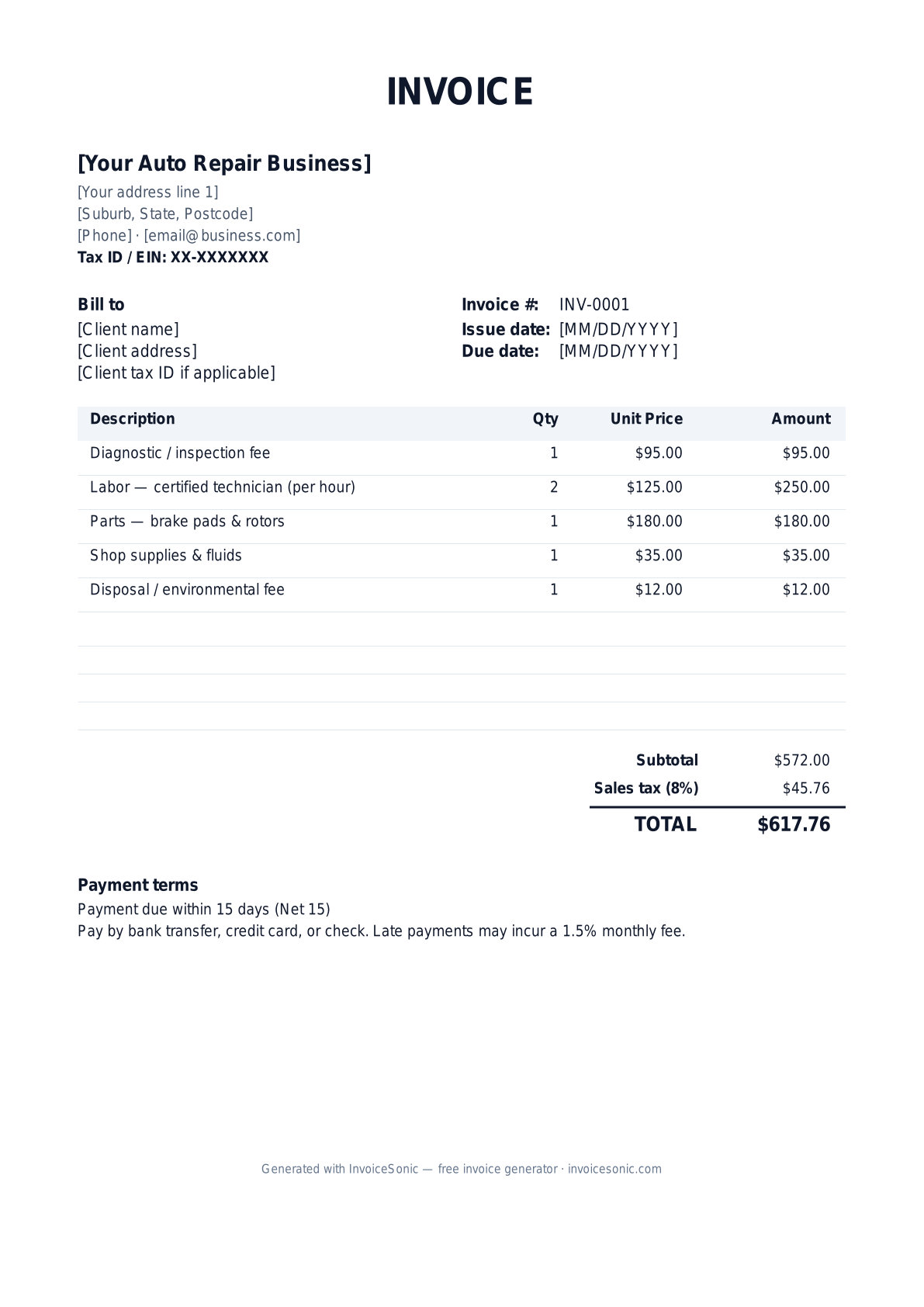
Download the auto repair invoice template
Or build it online in 60 seconds
Use InvoiceSonic's free generator — auto-calculate tax, prefill your details, and email the PDF straight to your client. No formatting needed.
Try the live generator →What's on the auto repair invoice template
| Description | Qty | Unit price | Amount |
|---|---|---|---|
| Diagnostic / inspection fee | 1 | $95.00 | $95.00 |
| Labor — certified technician (per hour) | 2 | $125.00 | $250.00 |
| Parts — brake pads & rotors | 1 | $180.00 | $180.00 |
| Shop supplies & fluids | 1 | $35.00 | $35.00 |
| Disposal / environmental fee | 1 | $12.00 | $12.00 |
| Subtotal | $572.00 | ||
| Sales tax (8%) | $45.76 | ||
| Total | $617.76 | ||
Example figures — every field is editable in the download.
Who uses this template
- ✓Independent auto repair shops
- ✓Mobile mechanics
- ✓Tire and brake specialists
- ✓Transmission and engine rebuilders
- ✓Auto body and collision shops
What to include
- ✓Vehicle year, make, model, and VIN
- ✓Odometer / mileage reading at service
- ✓Itemized parts with part numbers
- ✓Labor hours and shop hourly rate
- ✓Diagnostic and shop supply fees
- ✓Warranty period on parts and labor
- ✓Sales tax on parts (labor often exempt)
Available in 5 formats
Word (.docx)
Fully editable in Microsoft Word, Google Docs, Apple Pages and LibreOffice — best for quick text edits.
Excel (.xlsx)
Line totals, subtotal and tax calculate automatically — best if you want the math done for you.
A clean, print-ready, fixed layout — best for emailing a finished invoice to a client.
Google Docs / Sheets
Open in your browser, then File → Make a copy to edit and share with your team.
Invoicing tips for auto repair
- ✓ List parts and labor on separate lines so customers see the breakdown
- ✓ Always record the VIN and mileage — it protects you on warranty claims
- ✓ Note which work was declined or recommended for the next visit
- ✓ State your parts and labor warranty (e.g. 12 months / 12,000 miles) on every invoice
- ✓ Get written authorization before exceeding the original estimate by more than 10%
Auto Repair invoice FAQ
Do I charge sales tax on auto repair labor?
In most US states, parts are taxable but labor is exempt when listed separately. A few states tax both. Keep parts and labor on different lines and check your state's rules so you collect the right amount.
Should I include the VIN on a repair invoice?
Yes. Recording the VIN, year, make, model, and mileage ties the work to a specific vehicle and is essential if a warranty or comeback claim ever arises.
What's the difference between an estimate and an invoice?
An estimate is your quoted price before work begins; many states require customer authorization for overages. The invoice is the final bill issued after the repair, reflecting the actual parts and hours used.
Can I add a shop supplies or environmental fee?
Yes, and it's common. List shop supplies and any disposal or environmental fee as separate line items so the charges are transparent and not buried in the labor rate.
Related invoice templates
Prefer a specific format? Word invoice template · Excel invoice template · PDF invoice template · Google Docs invoice template · All invoice templates
A practical guide to auto repair billing
Use the template as a starting layout, then replace its example information with the actual agreed work. The details below help you decide what to enter and what to check before sending.
Agree what this invoice covers
Separate the diagnostic authorisation from the approved repair. Identify the vehicle and explain which labour and parts the estimate includes. If the repair changes after inspection, document the revised work and approval before billing it.
Give the payer enough context
Include the vehicle reference, repair-order number, visit date and relevant mileage record. Check the legal billing name and delivery contact against the accepted work. Keep the approved estimate, additional repair authorisation, parts supplied and labour record available to resolve questions. An invoice records the charge; it does not replace the underlying approval or supporting documents.
Worked auto repair invoice example
Diagnosis is separate here because the agreement bills it separately. If the diagnostic charge is credited against the repair, reflect that agreement rather than automatically charging both in full.
| Description | Quantity | Rate | Amount |
|---|---|---|---|
| Diagnostic labour | 1 | 85.00 | 85.00 |
| Approved repair labour | 2 | 85.00 | 170.00 |
| Replacement component | 1 | 140.00 | 140.00 |
| Example subtotal | 395.00 | ||
Avoid this billing mistake
Listing one total for ‘repair’ makes it hard to distinguish labour, parts and previously approved extras. Use clear descriptions and avoid presenting a part as replaced when it was only inspected or repaired.
Follow up on the right record
For fleet work, include the customer’s vehicle and purchase-order references. If a third party is paying, confirm the authorised payer and scope; an owner’s approval does not necessarily establish a warranty provider’s payment obligation.
Before you send
- Match the line items and quantities to the accepted scope and approved changes.
- Check the invoice number, issue date, explicit due date and the vehicle reference, repair-order number, visit date and relevant mileage record.
- Apply only the tax treatment relevant to your business and location; check current local requirements if unsure.
- Keep earlier billing separate from actual payments. Verify the outstanding amount and payment instructions.
The free browser tool prepares the document. Saving customers, sending tracked invoices and managing reminders require an account and are subject to plan limits. Payment status needs accurate payment records; an invoice view alone does not confirm payment.