Free freelance invoice template
Make a freelance invoice you can reuse
Describe the deliverable or hours, identify the client and add a specific due date. Keep the first invoice clear enough to become the starting point for your next billing period.
★★★★★ Rated by real users · No signup required · No watermark · Instant PDF download
Create your client invoice
Describe the deliverable or hours, identify the client and add a specific due date. Keep the first invoice clear enough to become the starting point for your next billing period.
Add your business, your client and your line items — totals calculate as you type, then download the PDF.
Create your client invoice →Free invoice generator for fast billing
Everything you need to bill like a business — nothing you don't.
Done in 60 seconds
Add your details and line items — totals, tax and formatting are handled for you. Download or send straight away.
No signup to start
Create and download your first invoice with no account, no watermark, no card. Sign up only when you want saved clients and tracking.
Get paid your way
List bank transfer, PayID, bank transfer, or card side by side. Payment-provider or bank fees may apply.
How to create an invoice online
Three steps from blank page to a professional PDF.
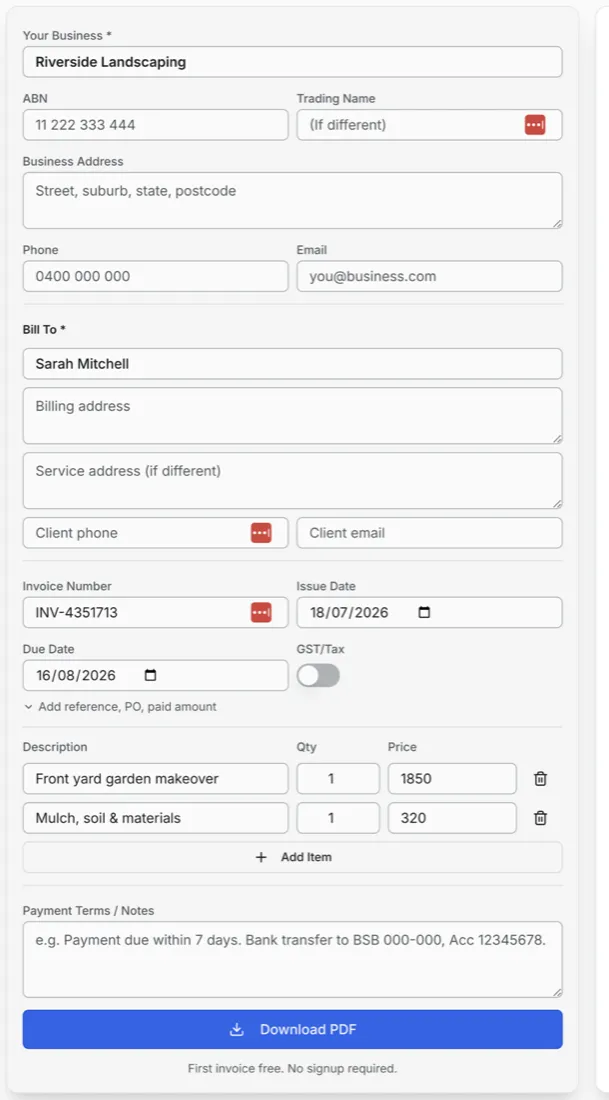
Step 1
Add your business and client details
Fill in who's billing and who's paying — that's the minimum a legally solid invoice needs.
- Your business and tax details — Use the business details and any tax identifier required for your location.
- Bill-to client details — Name is enough to start — add billing and service addresses for bigger jobs.
- Invoice number & dates — Auto-generated number, issue date and due date — editable if you have your own system.
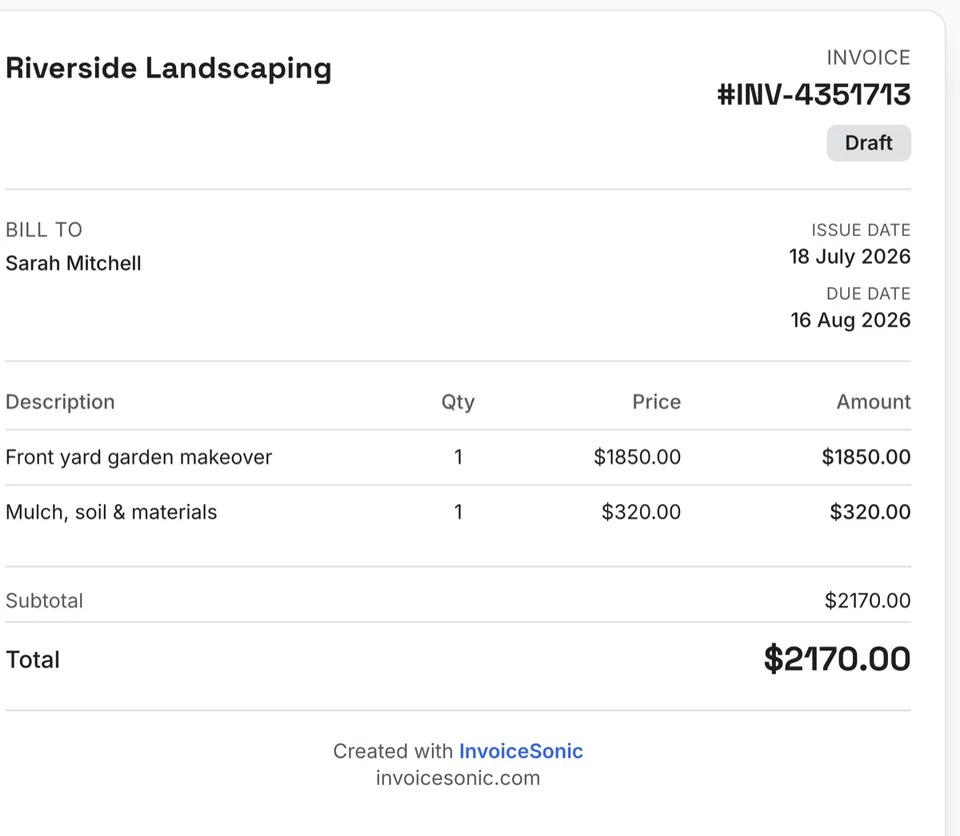
Step 2
Add line items — watch the invoice build itself
Every line you type appears instantly in a live preview of the finished invoice.
- Itemised lines with qty × price — Clear descriptions get approved (and paid) faster than lump sums.
- Totals calculated automatically — Subtotal, applicable tax and total update as you type — no broken spreadsheet formulas.
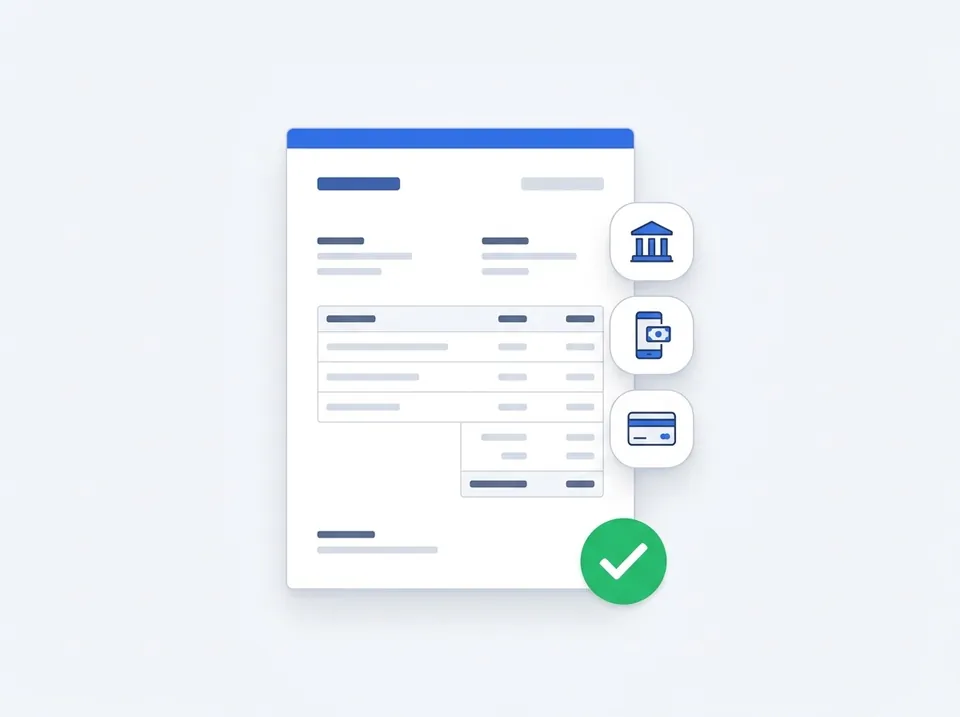
Step 3
Download, send, and get paid
Grab a clean PDF or email it directly. Your payment details go right on the invoice.
- Your payment details, front and centre — Bank transfer, PayID, or card — clients see exactly how to pay you.
- Professional PDF, no watermark — A real record for your accountant, tax time, and any dispute.
- Payment terms on every invoice — Due dates and terms set the expectation — and speed up payment.
More than a one-off invoice
The free generator is the start. An InvoiceSonic account adds the tools that keep you paid all year.
Recurring invoices
Prepare repeat invoices on a schedule, then review and send.
Client & invoice storage
Every client and invoice saved and searchable — no more digging through Downloads.
Payment methods
Venmo, Cash App, Zelle, PayPal, bank details — saved once, on every invoice.
Applicable tax calculation
Toggle tax on and the maths is handled, line by line.
Send by email
Email invoices from the app with your details pre-filled.
Templates & branding
Multiple invoice styles with your logo and brand colours.
Fee calculator
See exactly what Venmo, Stripe, PayPal and Square take from every payment.
Track what's owed
Draft, sent, paid — know where every dollar is at a glance.

Prepare the next invoice without starting over
Prepare recurring invoices on schedule, review and send each one, then use payment records and eligible reminders to follow up outstanding balances.
- Recurring schedules — Choose a supported frequency, then review each generated invoice before sending.
- Outstanding-balance view — One dashboard showing every unpaid invoice and its due date.
- A record of everything — Exports ready for your accountant at tax time.
Free generator vs InvoiceSonic account
Start free forever. Upgrade only when the extra tools pay for themselves.
| Feature | Free generator | InvoiceSonic account |
|---|---|---|
| Professional invoice PDF | ✓ | ✓ |
| No watermark, no signup | ✓ | ✓ |
| Applicable tax calculation | ✓ | ✓ |
| Saved clients & invoices | — | ✓ |
| Recurring invoices | — | ✓ |
| Send & track by email | — | ✓ |
| Payment status tracking | — | ✓ |
| Your logo & branding | — | ✓ |
Make a freelance invoice you can reuse
Describe the deliverable or hours, identify the client and add a specific due date. Keep the first invoice clear enough to become the starting point for your next billing period.
Make this billing period clear
Bill a fixed project once. For retained work, identify the period and review extra hours rather than charging them again inside the fixed fee.
Keep the right payment reference
Use the invoice number in payment instructions and keep the original record when following up.
Prepare for the next client invoice
Save the details you reuse, review changed work and record confirmed payments against the correct invoice.
What to include on your freelance invoice template
Australian tax invoices need these fields — our generator adds them automatically.
- ✓ Your business name, address, and ABN (if registered)
- ✓ Client name and billing address
- ✓ Unique invoice number and issue date
- ✓ Clear description of freelance invoice services or products
- ✓ Line-item quantities, rates, and subtotal
- ✓ GST amount shown separately (if GST-registered)
- ✓ Total amount due and payment terms
- ✓ Payment details — BSB/account or payment link
How to use this freelance invoice template
- ✓ Open the free invoice generator below — fields pre-match a standard freelance invoice template
- ✓ Enter your business details and ABN once; they save for future invoices
- ✓ Add client information and line items for the work completed
- ✓ Review GST calculation and payment terms
- ✓ Download PDF or email the invoice directly to your client
Download in your format
Need Word, Excel, PDF, or Google Sheets? Use our free format templates — or create online and download PDF instantly.
Invoicing tools
Get paid your way
Related invoice templates
Same generator, set up for a different job.
More ways people search for this
These searches point to the same free invoice template — pick the wording your clients use.
- ✓ freelance writer invoice template
- ✓ freelance writing invoice template
- ✓ invoice template freelance
- ✓ invoice template freelance writer
- ✓ freelance videographer invoice template
- ✓ freelance work invoice template
- ✓ freelance template invoice
- ✓ freelance contractor invoice template
invoice invoice FAQ
How do I reuse this invoice for a returning client?
Save the client and business details in your account, then review the next service period, line items and amount before sending. Account features are subject to plan limits.
Does a recurring invoice send or charge automatically?
InvoiceSonic prepares recurring invoices on a supported schedule. Review and send each generated invoice. It does not automatically collect payment from the customer.
Create your freelance invoice template now
Free PDF download with country-ready tax, business ID and payment fields. No credit card required. Prefer to start from scratch? Use our invoice generator.
Start free — create invoiceA practical guide to freelance billing
Use the template as a starting layout, then replace its example information with the actual agreed work. The details below help you decide what to enter and what to check before sending.
Agree what this invoice covers
Choose a clear billing basis: an hourly engagement, an approved deliverable or a defined retainer period. State what a revision allowance covers and when additional work requires approval. Keep the invoice consistent with that agreement rather than billing both a project fee and the hours already included in it.
Give the payer enough context
Include the project name, milestone or billing period, and the client’s purchase-order reference where requested. Check the legal billing name and delivery contact against the accepted work. Keep the accepted proposal, deliverable approval, time summary and approval for out-of-scope revisions available to resolve questions. An invoice records the charge; it does not replace the underlying approval or supporting documents.
Worked freelance invoice example
The project milestone is billed once. Extra revisions appear separately because they were outside the agreed package. For hourly work, replace the milestone with hours and the agreed rate; for a retainer, name the exact service period.
| Description | Quantity | Rate | Amount |
|---|---|---|---|
| Website copy — approved project milestone | 1 | 800.00 | 800.00 |
| Additional revision round — approved separately | 2 | 75.00 | 150.00 |
| Example subtotal | 950.00 | ||
Avoid this billing mistake
Reusing last month’s invoice without updating its period can lead to duplicate-billing questions. Change the service dates, check the scope and confirm whether unused hours carry forward under your agreement.
Follow up on the right record
Ask for the accounts-payable contact and reference requirements at onboarding. A friendly reminder should name the invoice, balance and due date, with a link to the original document. An opened invoice is not proof that payment has been approved or received.
Before you send
- Match the line items and quantities to the accepted scope and approved changes.
- Check the invoice number, issue date, explicit due date and the project name, milestone or billing period, and the client’s purchase-order reference where requested.
- Apply only the tax treatment relevant to your business and location; check current local requirements if unsure.
- Keep earlier billing separate from actual payments. Verify the outstanding amount and payment instructions.
The free browser tool prepares the document. Saving customers, sending tracked invoices and managing reminders require an account and are subject to plan limits. Payment status needs accurate payment records; an invoice view alone does not confirm payment.
Make a freelance invoice you can reuse
Describe the deliverable or hours, identify the client and add a specific due date. Keep the first invoice clear enough to become the starting point for your next billing period.
Bill a fixed project once. For retained work, identify the period and review extra hours rather than charging them again inside the fixed fee.
Useful billing guides
Your next step
Manage repeat freelance clients
A free account includes 3 saved invoices, 1 tracked send and 1 automatic reminder per month. Pro adds recurring invoice preparation and higher usage limits. Review each generated invoice before sending; payments must be confirmed and recorded.