Cleaning Invoice Template
This cleaning invoice template gives Australian cleaners a ready-made layout for house cleans, office contracts and end-of-lease jobs. Download it as Word, Excel or PDF, or fill it in online and send a PDF in a few minutes.
Prefer to fill it in online? Use the free invoice tool ↓ Jump to Word, Excel and PDF downloads ↓Create a cleaning services invoice online
Use the same free builder as our homepage to enter your details, check totals and preview the invoice. Start without an account; downloads follow the free-tool limits. Prefer an editable file? The Word, Excel and PDF options are below.
Create your invoice online
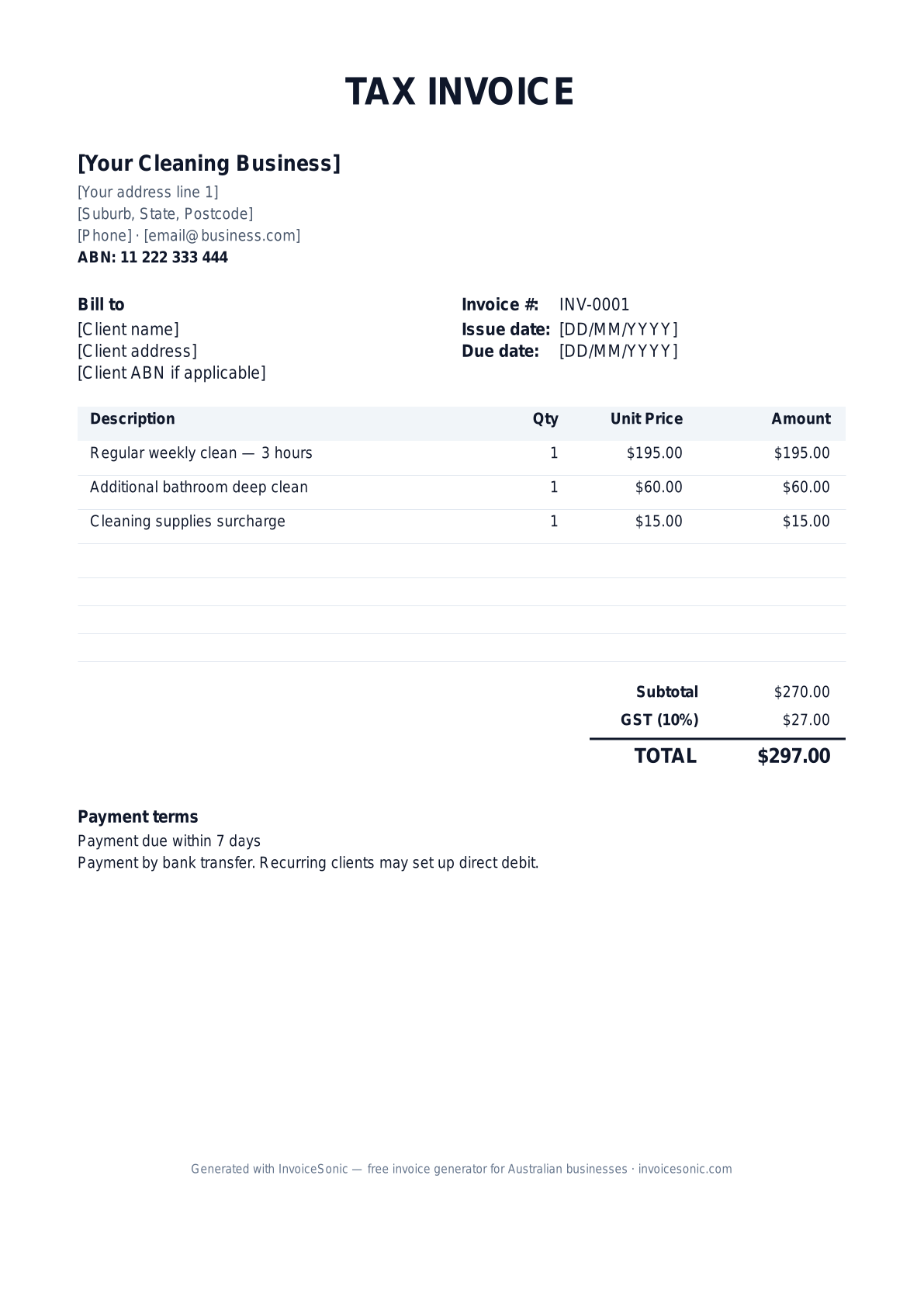
Preview of the cleaning services invoice template — download editable Word, Excel or PDF below.
Prefer the online builder? It is right here
Enter your details, itemise the work and review the calculated totals in the tool above. Create an account when you want to save customers, send tracked invoices and manage reminders.
Try the live generator →Who uses this template
- ✓House and residential cleaners working for themselves
- ✓Commercial and office cleaning contractors
- ✓End-of-lease and bond cleaners
- ✓Carpet, window and pressure-washing specialists
- ✓Strata and body corporate cleaners
What to include on your invoice
- ✓Your business name, ABN and contact details
- ✓The client name and the cleaning address, if it differs from the billing address
- ✓A unique invoice number and the date of the clean
- ✓A service description: regular clean, deep clean, end-of-lease, carpet or window add-ons
- ✓Hours worked and your hourly rate, or a fixed price per clean
- ✓Supplies or equipment charges on their own line
- ✓A GST line (only if you are GST-registered) and the total amount due
- ✓Payment terms, the due date, and your bank details or PayID
Invoicing tips for cleaning businesses
- 1.Pick one pricing model per client. An hourly rate suits one-off jobs where the condition is unknown; a flat rate per visit suits regular homes and offices where the scope rarely changes.
- 2.For recurring cleans, keep the client, address and standard line items the same and change only the date and invoice number. Weekly or fortnightly clients can be billed per visit, or once a month with each visit listed.
- 3.For end-of-lease and bond cleans, list the rooms and extras covered — oven, windows, carpets, walls — so the tenant can show the agent what was done. If you offer a re-clean guarantee, state its terms and time limit.
- 4.Charge for supplies separately only when the client agreed to it; otherwise build them into your rate.
- 5.Send the invoice the day the clean is finished. Residential clients commonly pay within 7 days, while commercial cleaning services contracts usually run on 14 or 30-day payment terms.
Related cleaning and home-service templates
Frequently asked questions
Do cleaners need to charge GST?
Only if you are registered for GST. Registration is compulsory once your GST turnover reaches $75,000 a year; below that it is optional. If you are not registered, issue an "Invoice" with no GST line rather than a "Tax Invoice".
Should I charge per hour or a flat rate?
Both work. Hourly suits one-off deep cleans; flat rates suit regular cleans and bond cleans quoted by the number of bedrooms and bathrooms. Show whichever you use clearly on each line.
How do I invoice recurring weekly cleans?
Reuse the same invoice with a new date and invoice number, or send one monthly invoice that lists each visit. InvoiceSonic Pro can schedule recurring invoices automatically.
Can I add my logo?
Yes. The Word file has a logo placeholder, and the online builder lets you upload a PNG or JPG logo.
Who pays for a bond clean — the tenant or the agent?
Usually the tenant, but agencies sometimes pay directly. Invoice whoever agreed to pay, and include the property address and the date the tenancy ended.
More free templates
A practical guide to cleaning billing
Use the template as a starting layout, then replace its example information with the actual agreed work. The details below help you decide what to enter and what to check before sending.
Agree what this invoice covers
Specify the property, rooms or areas covered and whether the visit is routine, deep cleaning or an end-of-tenancy service. Record extras such as oven cleaning or carpet treatment separately where they were not included in the package.
Give the payer enough context
Include the property address, visit dates, booking number and service type. Check the legal billing name and delivery contact against the accepted work. Keep the agreed checklist, completed visits and approval for additional tasks available to resolve questions. An invoice records the charge; it does not replace the underlying approval or supporting documents.
Worked cleaning invoice example
Two completed routine visits and one agreed extra are billed. Replace visit counts with actual completed work and handle cancellations according to the booking agreement.
| Description | Quantity | Rate | Amount |
|---|---|---|---|
| Routine cleaning visits | 2 | 95.00 | 190.00 |
| Approved oven clean | 1 | 45.00 | 45.00 |
| Example subtotal | 235.00 | ||
Avoid this billing mistake
Billing the tenant instead of the agency or landlord named on the booking can delay payment. Check the responsible payer and property reference, especially when one agent manages several sites.
Follow up on the right record
For recurring work, reconcile completed visits before copying a previous invoice. If a client raises a quality concern, record the resolution and any agreed adjustment rather than silently changing an issued invoice.
Before you send
- Match the line items and quantities to the accepted scope and approved changes.
- Check the invoice number, issue date, explicit due date and the property address, visit dates, booking number and service type.
- Apply only the tax treatment relevant to your business and location; check current local requirements if unsure.
- Keep earlier billing separate from actual payments. Verify the outstanding amount and payment instructions.
The free browser tool prepares the document. Saving customers, sending tracked invoices and managing reminders require an account and are subject to plan limits. Payment status needs accurate payment records; an invoice view alone does not confirm payment.