Need to reuse this template for the next job?
Reuse call-out fees, labour and parts, then send the invoice before the next job.
Explore plumbing invoicing →Plumber Invoice Template
This plumber invoice template is a guide and a ready-made layout in one: it shows what an Australian plumbing invoice needs, from the call-out fee and labour to materials, compliance paperwork and payment details. Download the plumbing invoice template free as a Word document, Excel sheet or PDF, or fill it in online.
Prefer to fill it in online? Use the free invoice tool ↓ Jump to Word, Excel and PDF downloads ↓Create a plumber invoice online
Use the same free builder as our homepage to enter your details, check totals and preview the invoice. Start without an account; downloads follow the free-tool limits. Prefer an editable file? The Word, Excel and PDF options are below.
Create your invoice online
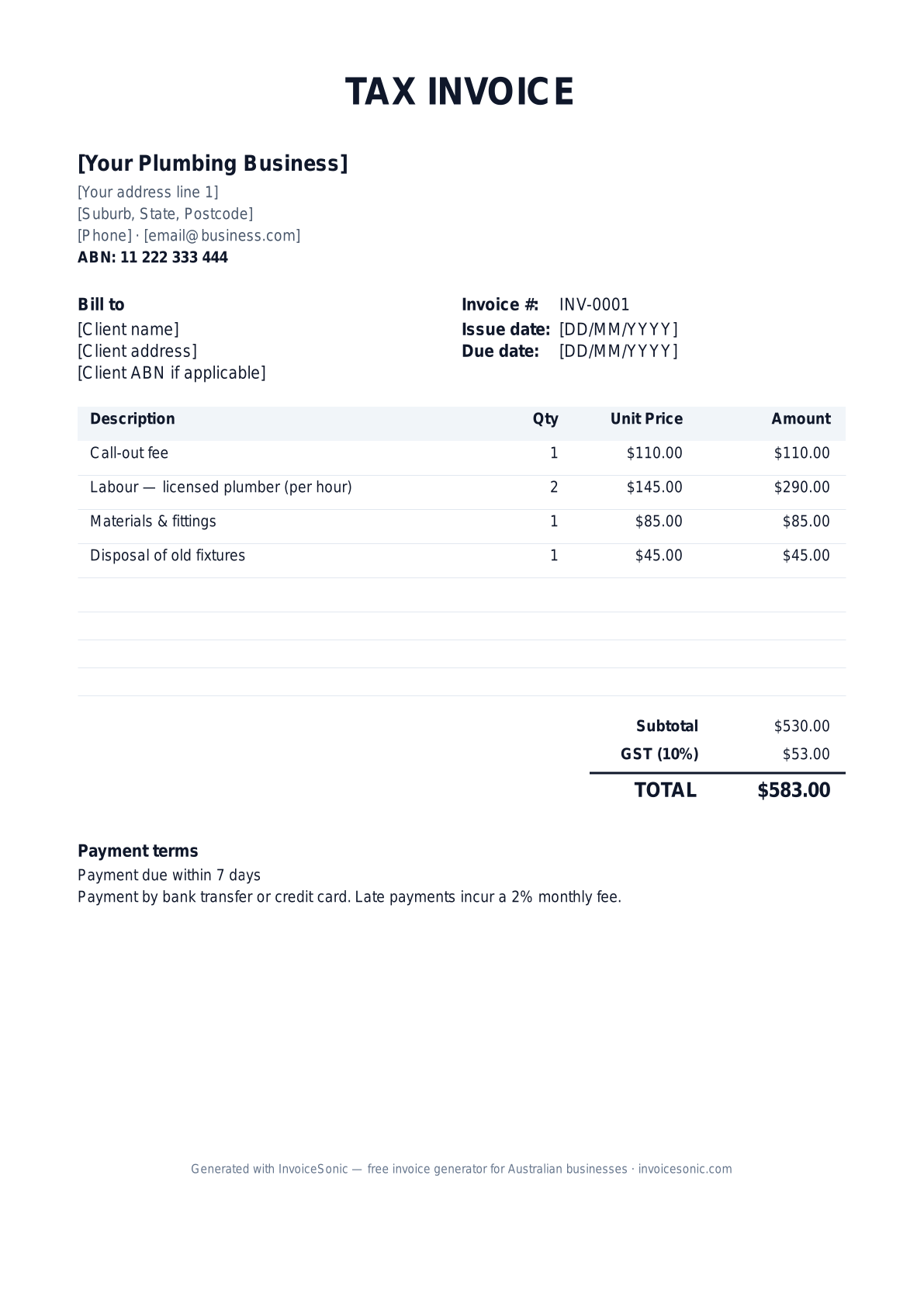
Preview of the plumber invoice template — download editable Word, Excel or PDF below.
Prefer the online builder? It is right here
Enter your details, itemise the work and review the calculated totals in the tool above. Create an account when you want to save customers, send tracked invoices and manage reminders.
Try the live generator →Who uses this template
- ✓Licensed plumbers and gasfitters across Australia
- ✓Plumbing subcontractors on residential and commercial builds
- ✓Emergency and after-hours plumbing services
- ✓Drainage, pipe relining and excavation specialists
- ✓Hot water system installers and servicers
What to include on a plumbing invoice in Australia
- ✓Your business name, ABN and contact information: email address and phone number
- ✓Your plumbing licence or registration number
- ✓The client's company name or full name, and the job site address
- ✓A unique invoice number, the invoice date and the due date
- ✓The call-out fee as its own line item, then labour as hours × hourly rate
- ✓Materials and fittings with quantities and unit prices
- ✓A GST line at 10% if you are GST-registered — the applicable taxes on the job — and the total amount due
- ✓Payment terms and how to pay: bank account details, PayID or card
- ✓Workmanship warranty terms
How to write your first invoice for a plumbing job
- 1.Enter your business details and licence number once, then save the file as your master copy.
- 2.Add the client and site address, and the purchase order or work order number for strata, real estate and commercial jobs — accounts teams often won't pay without it.
- 3.List the call-out fee, then any after-hours or weekend rate on its own line, so the client sees why an emergency visit costs more.
- 4.Separate labour from materials. If you mark up materials, choose whether to show the marked-up price or a single materials line, and stay consistent.
- 5.Note the compliance certificate you lodged for regulated work. The document name and rules vary by state — for example a compliance certificate in Victoria or a Certificate of Compliance in NSW — so check with your regulator.
- 6.Set payment terms — 7 days for households, 14 or 30 days for builders — and send the invoice the day the job is finished.
Frequently asked questions
Do plumber invoices need an ABN?
Yes, show your ABN on every invoice. If you don't quote an ABN to a business customer, they may have to withhold 47% of the payment. A tax invoice from a GST-registered plumber must also show the ABN.
Do I have to show my plumbing licence number?
In most Australian states and territories, yes — licensed plumbers must show a licence or registration number on quotes, invoices or advertising. The exact rule depends on your state regulator.
How should I bill an after-hours call-out?
List the after-hours call-out fee as its own line, then labour at your after-hours rate. Agree the rates with the customer before you start where you can.
Can I edit the Word version?
Yes. The .docx file opens in Microsoft Word, Google Docs, Apple Pages and LibreOffice, and every field is editable. Prefer not to use Word? Fill in the free invoice generator on this page and download a PDF.
Does the template include GST?
The Excel version calculates the 10% GST line for you. If you are not registered for GST, delete the GST line and title the document "Invoice" instead of "Tax Invoice".
More free templates
A practical guide to plumbing billing
Use the template as a starting layout, then replace its example information with the actual agreed work. The details below help you decide what to enter and what to check before sending.
Agree what this invoice covers
For a service call, explain what the call-out fee includes and when additional labour starts. For a bathroom renovation or installation, use the agreed deposit and completion stages. Record emergency or after-hours charges before the work so the invoice does not introduce a surprise surcharge.
Give the payer enough context
Include the service address, work-order number, visit date and the fixture or system worked on. Check the legal billing name and delivery contact against the accepted work. Keep the authorised repair, labour record, parts used and any relevant completion photos available to resolve questions. An invoice records the charge; it does not replace the underlying approval or supporting documents.
Worked plumbing invoice example
The call-out and additional labour are separate so the customer can see they are not paying twice for the same time. Replace the example descriptions with the actual repair and parts supplied.
| Description | Quantity | Rate | Amount |
|---|---|---|---|
| Call-out and initial assessment | 1 | 90.00 | 90.00 |
| Repair labour beyond included assessment | 2 | 85.00 | 170.00 |
| Replacement valve and fittings | 1 | 65.00 | 65.00 |
| Example subtotal | 325.00 | ||
Avoid this billing mistake
Writing only ‘plumbing work’ makes an invoice hard to approve, especially when a landlord pays for a tenant’s repair. Identify the property and completed repair without including unnecessary private information about the occupant.
Follow up on the right record
Check whether the person who booked the visit is also the payer. Send the job reference and any agreed approval evidence to the correct contact. Save frequently used service descriptions, but review quantities and parts every time you reuse them.
Before you send
- Match the line items and quantities to the accepted scope and approved changes.
- Check the invoice number, issue date, explicit due date and the service address, work-order number, visit date and the fixture or system worked on.
- Apply only the tax treatment relevant to your business and location; check current local requirements if unsure.
- Keep earlier billing separate from actual payments. Verify the outstanding amount and payment instructions.
The free browser tool prepares the document. Saving customers, sending tracked invoices and managing reminders require an account and are subject to plan limits. Payment status needs accurate payment records; an invoice view alone does not confirm payment.