For mobile locksmiths and small locksmith businesses
Locksmith Software
From lockout call to paid invoice, without the paper trail.
Locksmith software here means the business side of the job, not key programming. Log the call-out with the address, quote the rekey or lock upgrade, book the visit and invoice the work from the same record, including after-hours fees and hardware.
Already have an account? Open Jobs
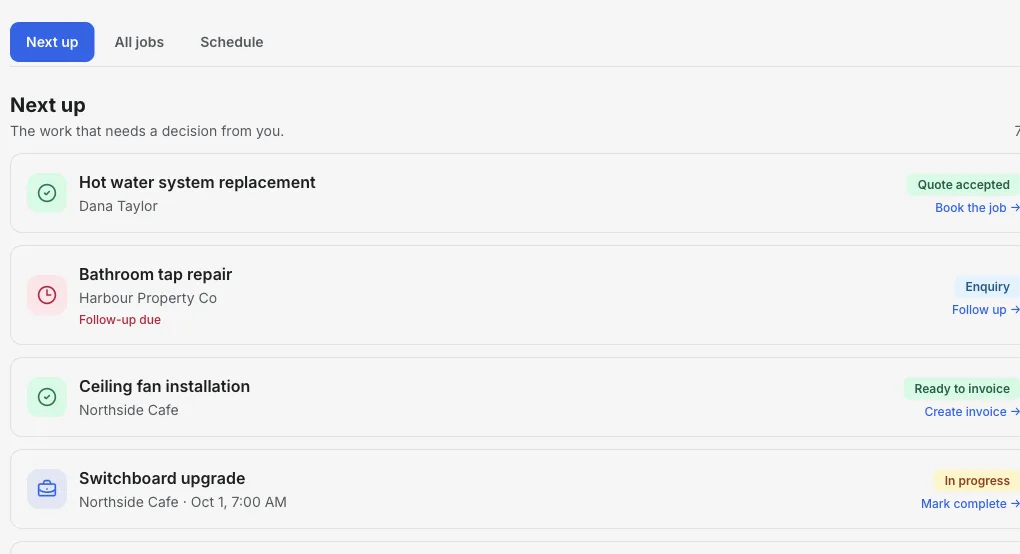
Inside the Jobs workspace
The call-out, the quote and the bill in one place.
Next up shows today's booked calls, quotes awaiting a reply and finished work that still needs an invoice.
- 01
Log the call
Customer and job name first; add the address and lock details as you go.
- 02
Quote the upgrade
Send a quote for rekeys or new hardware the customer can accept online.
- 03
Invoice on site
Create the invoice from the job in your phone's browser.
Product walkthrough
See a job added, booked and ready to bill
This 18-second recording uses fictional sample data: a job is added, given a visit time and surfaced when it is ready to invoice.
Demo data · no sound · play when you are ready
Built around the call-out
Every call-out recorded
Lockouts, rekeys and installs each get a job with the address and notes.
Saved services
Save your call-out fee, after-hours rate and per-cylinder rekey price as reusable line items.
Quotes for bigger work
Quote a commercial lock change or access upgrade; the customer accepts or declines online.
Book return visits
Schedule the install on the job and see it in the day-by-day Schedule view.
Invoice from your phone
Jobs and invoicing work in a mobile browser, so you can bill before you leave.
Get paid your way
Show bank transfer, Zelle, Venmo, Cash App, PayPal or your card payment link on the invoice.
How it works
-
1
Log the call-out
Create the job with the customer and address while you are on the phone.
-
2
Quote or book
Book emergency work straight away, or quote larger jobs first.
-
3
Invoice and track
Invoice from the job and track it until paid.
A late-night lockout that becomes a rekey
One customer, two visits, one job record.
- 10:40 pm
- Lockout call. Log the job with the address and book it immediately.
- On site
- Open the door. The customer asks about rekeying after a lost key.
- Quote
- Send a rekey quote for three cylinders; the customer accepts the next morning.
- Invoice
- Invoice the after-hours call-out and the rekey separately or together.
Takeaway: The emergency call and the follow-up work stay connected to the same customer and property.
Frequently asked questions
Does this locksmith software program or cut keys?
No. It handles the business workflow: call-outs, quotes, scheduling and invoicing. Use your key programming and key cutting tools as normal.
Can I charge an after-hours fee?
Yes. Save it as a reusable line item and add it to the quote or invoice.
Can I use it from my phone?
Yes. Jobs and invoicing work in a mobile browser.
Does it dispatch technicians?
No. Jobs can store an assignee label but has no dispatch notifications or technician accounts.
Related tools & guides
Job management software · Job scheduling software · Quoting software · Handyman business software