Free Computer Repair Invoice Template Invoice Template
A free, professional computer repair invoice template for IT technicians, repair shops, and on-site support pros who bill for diagnostics, labor, and parts. Download it as Word, Excel, PDF, Google Docs, or Google Sheets and itemize the diagnostic fee, repair labor, replacement parts, and data services on one clear bill. Add your hourly rate and Net 15 terms for fast, professional invoicing.
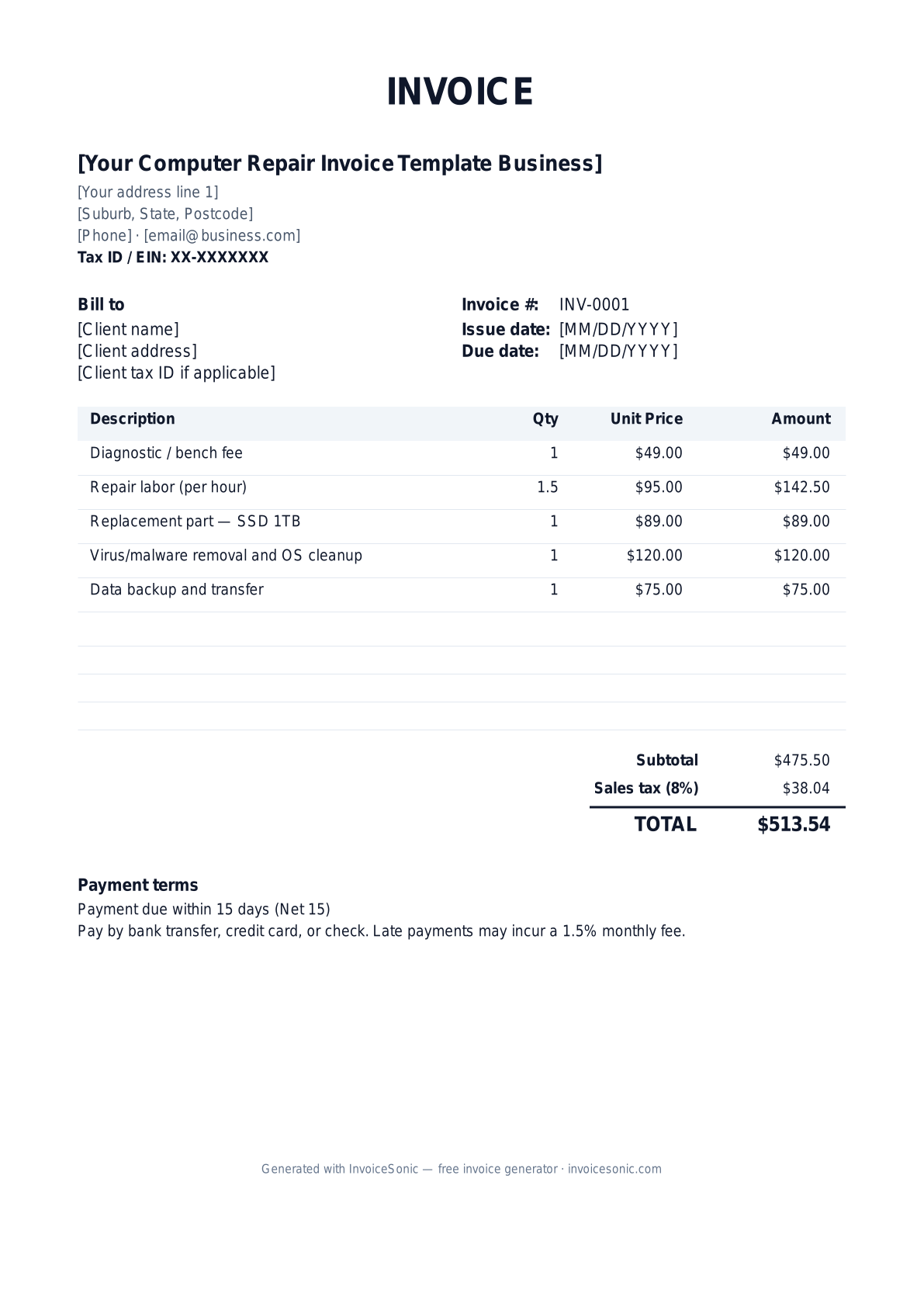
Download the computer repair invoice template invoice template
Or build it online in 60 seconds
Use InvoiceSonic's free generator — auto-calculate tax, prefill your details, and email the PDF straight to your client. No formatting needed.
Try the live generator →What's on the computer repair invoice template invoice template
| Description | Qty | Unit price | Amount |
|---|---|---|---|
| Diagnostic / bench fee | 1 | $49.00 | $49.00 |
| Repair labor (per hour) | 1.5 | $95.00 | $142.50 |
| Replacement part — SSD 1TB | 1 | $89.00 | $89.00 |
| Virus/malware removal and OS cleanup | 1 | $120.00 | $120.00 |
| Data backup and transfer | 1 | $75.00 | $75.00 |
| Subtotal | $475.50 | ||
| Sales tax (8%) | $38.04 | ||
| Total | $513.54 | ||
Example figures — every field is editable in the download.
Who uses this template
- ✓Computer repair shops
- ✓Independent IT technicians
- ✓On-site/mobile tech support
- ✓Managed-service providers (MSPs)
- ✓Data-recovery specialists
What to include
- ✓Customer name and contact
- ✓Device make, model, and serial number
- ✓Reported issue and diagnosis
- ✓Diagnostic/bench fee
- ✓Labor hours and replacement parts
- ✓Data backup/recovery services
- ✓Net 15 terms and warranty on the repair
Available in 5 formats
Word (.docx)
Fully editable in Microsoft Word, Google Docs, Apple Pages and LibreOffice — best for quick text edits.
Excel (.xlsx)
Line totals, subtotal and tax calculate automatically — best if you want the math done for you.
A clean, print-ready, fixed layout — best for emailing a finished invoice to a client.
Google Docs / Sheets
Open in your browser, then File → Make a copy to edit and share with your team.
Invoicing tips for computer repair invoice template
- ✓ List the device make, model, and serial number so the invoice matches the specific machine you serviced
- ✓ Separate the diagnostic fee from repair labor; many shops credit the diagnostic toward the repair if approved
- ✓ Itemize parts (SSD, RAM, battery) with quantities so customers see hardware versus labor
- ✓ State a warranty on the repair (e.g., 30-90 days on parts and labor) to build trust and cut callbacks
- ✓ Note any data-backup or recovery service separately, since customers value and scrutinize that line
Computer Repair Invoice Template invoice FAQ
Do I charge sales tax on computer repair?
Parts are taxable in most states. Labor may or may not be taxable depending on your state, and some states tax the entire repair when parts are involved. Tax the parts lines and confirm whether your state also taxes repair labor.
Should the diagnostic fee be credited toward the repair?
Many shops apply the diagnostic fee toward the repair cost if the customer approves the work. State your policy on the invoice and, if you credit it, show it as a deduction so the customer sees the benefit.
Will business clients issue a 1099?
Business and MSP clients paying you $600 or more in a year as a contractor may request a W-9 and issue a 1099-NEC unless you are a corporation. Keep your EIN on file for commercial accounts.
What warranty should I put on a computer repair?
A common standard is 30 to 90 days on parts and labor for the specific repair performed. Note the warranty term and what it covers directly on the invoice so expectations are clear.
Related invoice templates
Prefer a specific format? Word invoice template · Excel invoice template · PDF invoice template · Google Docs invoice template · All invoice templates