Free Photographer Invoice Template
A free, professional photographer invoice template for Australian photographers. Download as Word, Excel, or PDF — formatted for wedding, portrait, commercial, and event photography.
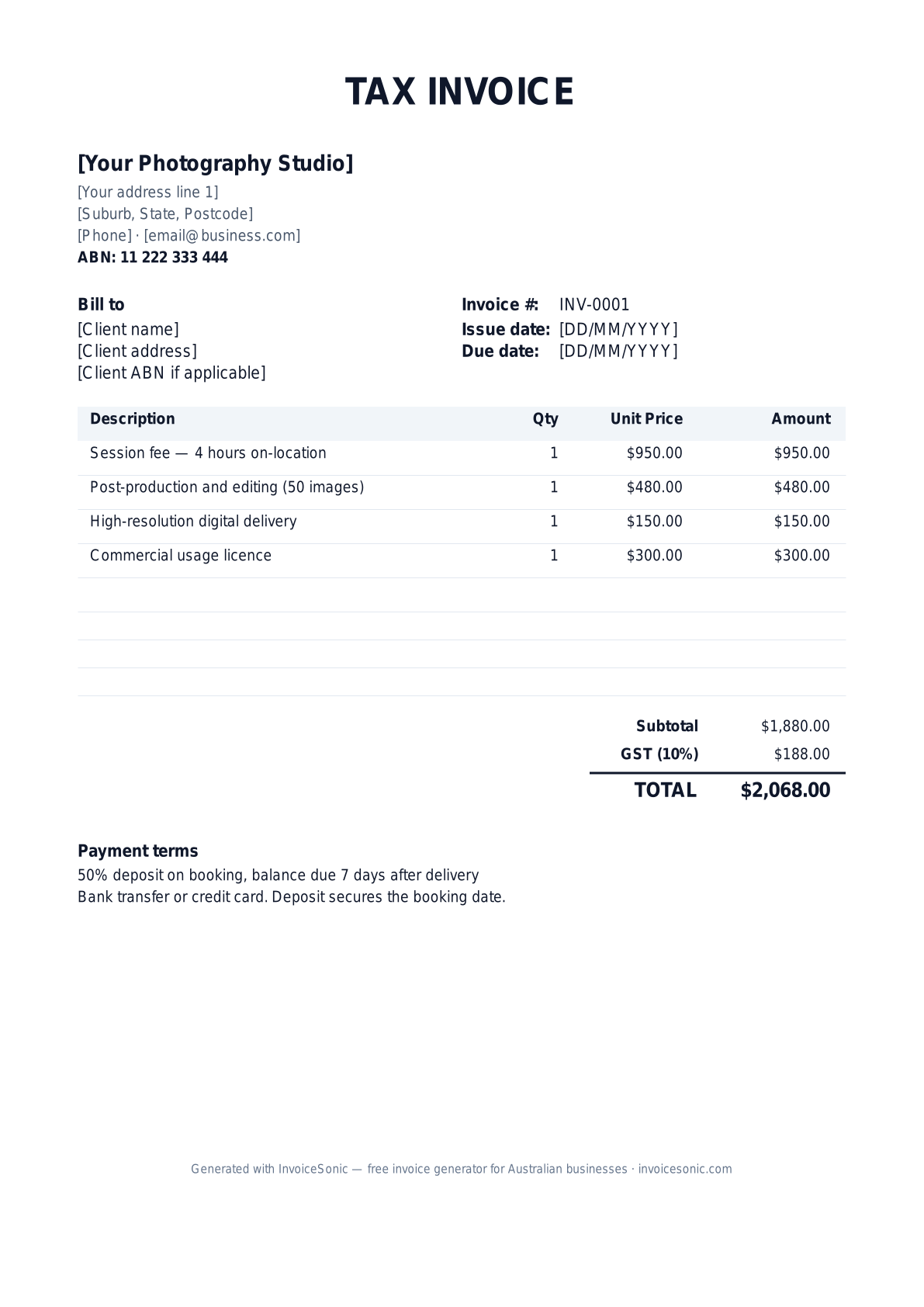
Download the photographer invoice template
Or build it online in 60 seconds
Use InvoiceSonic's free generator — auto-calculate tax, prefill your details, and email the PDF straight to your client. No formatting needed.
Try the live generator →What's on the photographer invoice template
| Description | Qty | Unit price | Amount |
|---|---|---|---|
| Session fee — 4 hours on-location | 1 | $950.00 | $950.00 |
| Post-production and editing (50 images) | 1 | $480.00 | $480.00 |
| High-resolution digital delivery | 1 | $150.00 | $150.00 |
| Commercial usage licence | 1 | $300.00 | $300.00 |
| Subtotal | $1,880.00 | ||
| Sales tax (8%) | $150.40 | ||
| Total | $2,030.40 | ||
Example figures — every field is editable in the download.
Who uses this template
- ✓Wedding and event photographers
- ✓Portrait and family photographers
- ✓Commercial and product photographers
- ✓Real estate and architecture photographers
- ✓Brand and editorial photographers
What to include
- ✓Business name and ABN
- ✓Client name and project/event details
- ✓Session fee (hours or shoot type)
- ✓Post-production and editing
- ✓Number of delivered images and format
- ✓Usage and licensing terms
- ✓GST line and total amount due
Available in 5 formats
Word (.docx)
Fully editable in Microsoft Word, Google Docs, Apple Pages and LibreOffice — best for quick text edits.
Excel (.xlsx)
Line totals, subtotal and tax calculate automatically — best if you want the math done for you.
A clean, print-ready, fixed layout — best for emailing a finished invoice to a client.
Google Docs / Sheets
Open in your browser, then File → Make a copy to edit and share with your team.
Invoicing tips for photographer
- ✓ Always split out the session fee from post-production and licensing — it justifies the price
- ✓ For commercial work, list the usage licence as a separate line item (it can equal or exceed the shoot fee)
- ✓ Request a 50% non-refundable deposit on booking
- ✓ For weddings, structure deposits 30% on booking, 50% one month before, 20% on delivery
- ✓ Include a delivery date estimate on the invoice to manage expectations
Photographer invoice FAQ
Should I charge GST as a photographer?
If your annual turnover is over $75,000, yes — register for GST and charge 10%. Under that threshold it is optional. The template handles both cases.
How do I price commercial usage on the invoice?
List it as a separate line item with the licence scope (e.g., "Commercial licence — web + print, 12 months, Australia"). This is how commercial photographers protect their pricing structure.
What payment terms work best for photographers?
50% deposit on booking is standard, balance due on delivery or within 7 days. For weddings, a three-stage payment plan (30/50/20) is common.
Do I need a contract as well as an invoice?
Strongly recommended — the invoice covers what is owed, but a contract covers usage rights, deliverables, deposits, and cancellation terms. Use both.
Related invoice templates
Prefer a specific format? Word invoice template · Excel invoice template · PDF invoice template · Google Docs invoice template · All invoice templates
A practical guide to photography and media production billing
Use the template as a starting layout, then replace its example information with the actual agreed work. The details below help you decide what to enter and what to check before sending.
Agree what this invoice covers
Distinguish the shoot or recording session from editing, final deliverables and separately agreed usage fees. State the included session length and revision allowance. Record extra locations, overtime or requested formats before including them as additional charges.
Give the payer enough context
Include the booking or production name, session date and delivery milestone. Check the legal billing name and delivery contact against the accepted work. Keep the accepted production brief, approved extras and delivery record available to resolve questions. An invoice records the charge; it does not replace the underlying approval or supporting documents.
Worked photography and media production invoice example
The session and editing are billed separately here because the quote separates them. For an all-inclusive package, use its fixed price and add only approved work outside that package.
| Description | Quantity | Rate | Amount |
|---|---|---|---|
| Agreed production session | 1 | 500.00 | 500.00 |
| Post-production hours | 4 | 60.00 | 240.00 |
| Example subtotal | 740.00 | ||
Avoid this billing mistake
Describing a deposit request as the final production balance can cause duplicate-payment questions. Name the billing stage and check the deposit actually received before calculating the remaining amount.
Follow up on the right record
Send delivery and approval references to the person processing payment. Keep licensing, ownership and release conditions in the underlying agreement; payment tracking is not rights management.
Before you send
- Match the line items and quantities to the accepted scope and approved changes.
- Check the invoice number, issue date, explicit due date and the booking or production name, session date and delivery milestone.
- Apply only the tax treatment relevant to your business and location; check current local requirements if unsure.
- Keep earlier billing separate from actual payments. Verify the outstanding amount and payment instructions.
The free browser tool prepares the document. Saving customers, sending tracked invoices and managing reminders require an account and are subject to plan limits. Payment status needs accurate payment records; an invoice view alone does not confirm payment.