Free Videographer Invoice Template
A free, professional videographer invoice template you can download as Word, Excel, PDF, or Google Docs and Sheets. Tailored for video production with line items for shoot days, editing hours, licensing, and deliverables, plus deposit and usage-rights fields freelance videographers need.
Download the videographer invoice template
Or build it online in 60 seconds
Use InvoiceSonic's free generator — auto-calculate tax, prefill your details, and email the PDF straight to your client. No formatting needed.
Try the live generator →What's on the videographer invoice template
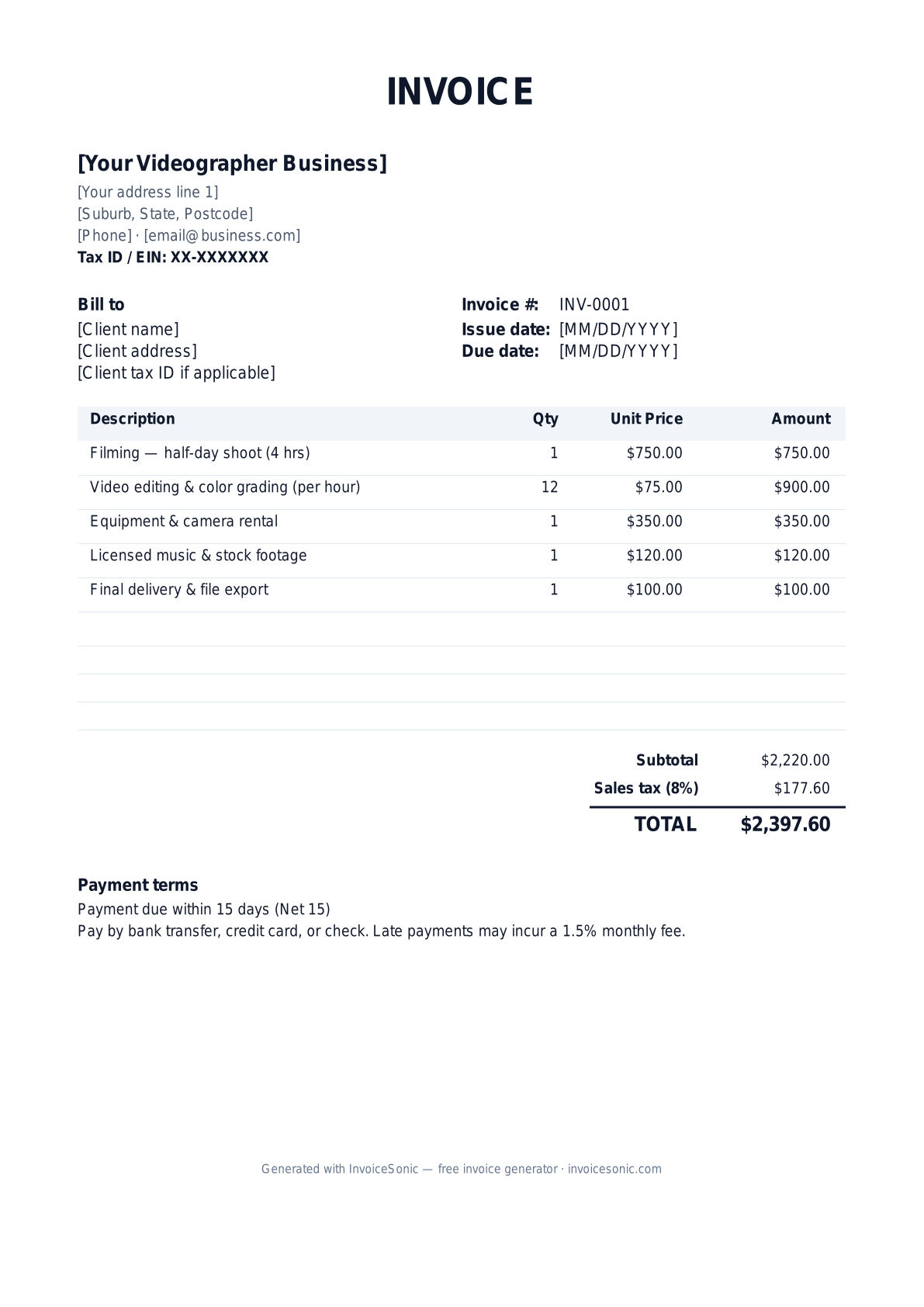
| Description | Qty | Unit price | Amount |
|---|---|---|---|
| Filming — half-day shoot (4 hrs) | 1 | $750.00 | $750.00 |
| Video editing & color grading (per hour) | 12 | $75.00 | $900.00 |
| Equipment & camera rental | 1 | $350.00 | $350.00 |
| Licensed music & stock footage | 1 | $120.00 | $120.00 |
| Final delivery & file export | 1 | $100.00 | $100.00 |
| Subtotal | $2,220.00 | ||
| Sales tax (8%) | $177.60 | ||
| Total | $2,397.60 | ||
Example figures — every field is editable in the download.
Who uses this template
- ✓Freelance videographers
- ✓Wedding and event videographers
- ✓Corporate and commercial video producers
- ✓Real estate and product videographers
- ✓Social media and content creators
What to include
- ✓Your name or studio, address, and EIN for 1099 clients
- ✓Client name and project/production title
- ✓Shoot dates and number of shoot days
- ✓Editing hours and number of revision rounds
- ✓Deposit paid and remaining balance
- ✓Usage rights / licensing terms granted
- ✓Deliverable list (formats, runtime, resolution)
Available in 5 formats
Word (.docx)
Fully editable in Microsoft Word, Google Docs, Apple Pages and LibreOffice — best for quick text edits.
Excel (.xlsx)
Line totals, subtotal and tax calculate automatically — best if you want the math done for you.
A clean, print-ready, fixed layout — best for emailing a finished invoice to a client.
Google Docs / Sheets
Open in your browser, then File → Make a copy to edit and share with your team.
Invoicing tips for videographer
- ✓ Charge a non-refundable deposit (often 25-50%) to lock the shoot date
- ✓ Separate shoot-day rates from editing hours so clients see the full scope
- ✓ Specify how many revision rounds are included and your rate for extras
- ✓ Spell out usage and licensing rights so commercial reuse is billed correctly
- ✓ List each deliverable with format and resolution to avoid scope creep
Videographer invoice FAQ
Should I require a deposit before a shoot?
Yes. Most videographers take a 25-50% non-refundable deposit to reserve the date and cover prep, then invoice the balance on delivery. Show the deposit and remaining balance clearly.
How do I bill for revisions?
Include a set number of revision rounds in your base price and add an hourly or per-round line item for anything beyond that. State the included count on the invoice.
Do I charge sales tax on video production?
It depends on your state and whether you deliver a tangible product versus a service. Some states tax delivered media. Check your state rules and itemize taxable deliverables.
How should I handle licensing and usage rights?
Define whether the client gets personal, commercial, or broadcast rights, and for how long. Price expanded usage as a separate line so reuse beyond the original scope is properly billed.
Related invoice templates
Prefer a specific format? Word invoice template · Excel invoice template · PDF invoice template · Google Docs invoice template · All invoice templates