Free Subcontractor Invoice Template Invoice Template
A free, professional subcontractor invoice template for trade subs, specialty contractors, and crews who bill a general contractor for completed work. Download it as Word, Excel, PDF, Google Docs, or Google Sheets and itemize labor, materials, change orders, and retainage on one clear invoice. Add your license, the GC's PO number, and Net 30 terms for smooth, dispute-free payment.
Download the subcontractor invoice template invoice template
Or build it online in 60 seconds
Use InvoiceSonic's free generator — auto-calculate tax, prefill your details, and email the PDF straight to your client. No formatting needed.
Try the live generator →What's on the subcontractor invoice template invoice template
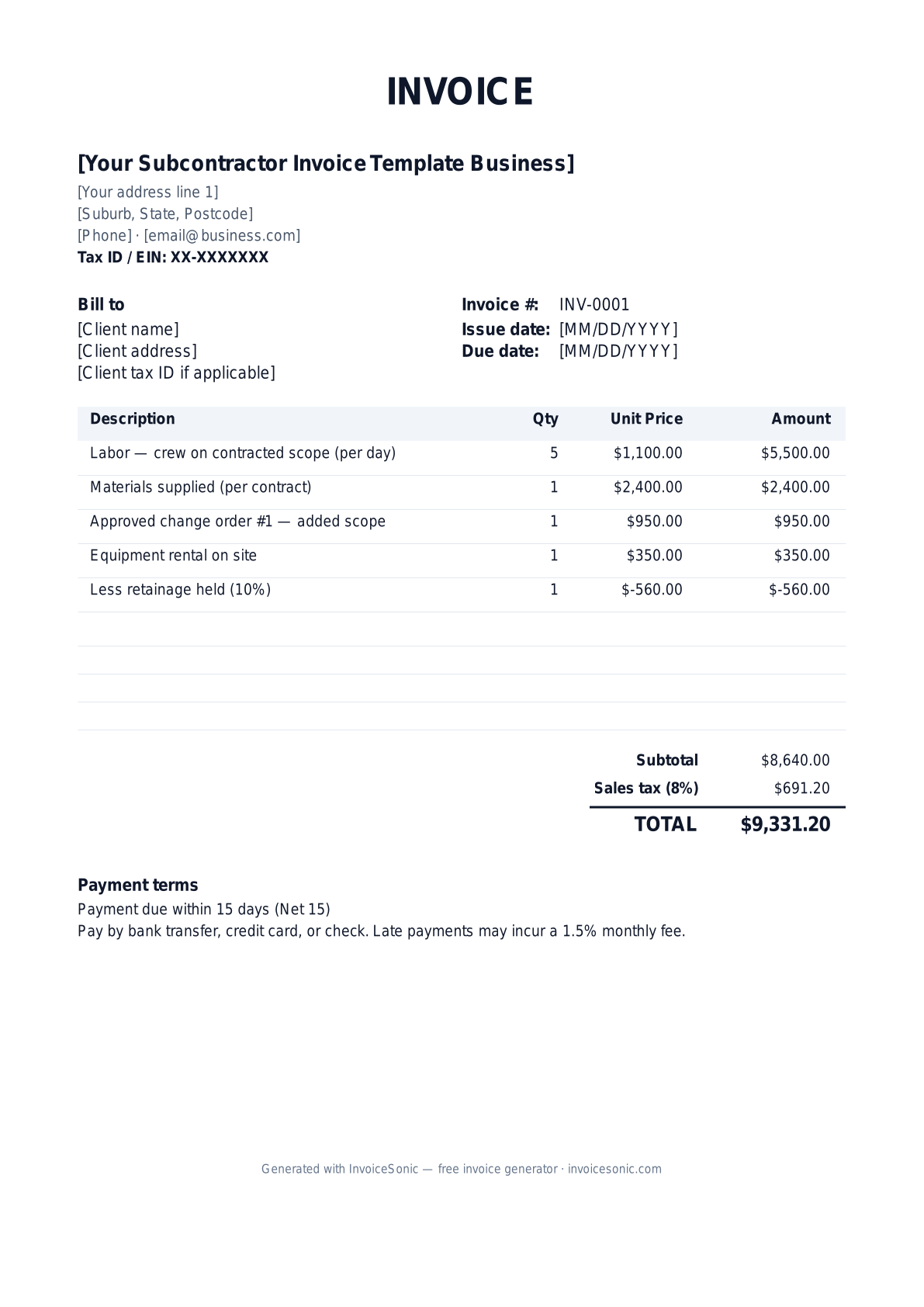
| Description | Qty | Unit price | Amount |
|---|---|---|---|
| Labor — crew on contracted scope (per day) | 5 | $1,100.00 | $5,500.00 |
| Materials supplied (per contract) | 1 | $2,400.00 | $2,400.00 |
| Approved change order #1 — added scope | 1 | $950.00 | $950.00 |
| Equipment rental on site | 1 | $350.00 | $350.00 |
| Less retainage held (10%) | 1 | $-560.00 | $-560.00 |
| Subtotal | $8,640.00 | ||
| Sales tax (8%) | $691.20 | ||
| Total | $9,331.20 | ||
Example figures — every field is editable in the download.
Who uses this template
- ✓Trade subcontractors
- ✓Specialty and finish contractors
- ✓Framing, drywall, and concrete crews
- ✓Independent labor crews
- ✓Subs billing general contractors
What to include
- ✓Sub business name, license, and EIN
- ✓General contractor and project name
- ✓PO/contract number and pay-app period
- ✓Labor and materials for the period
- ✓Approved change orders with reference numbers
- ✓Retainage withheld and lien-waiver status
- ✓Net 30 terms and remit-to information
Available in 5 formats
Word (.docx)
Fully editable in Microsoft Word, Google Docs, Apple Pages and LibreOffice — best for quick text edits.
Excel (.xlsx)
Line totals, subtotal and tax calculate automatically — best if you want the math done for you.
A clean, print-ready, fixed layout — best for emailing a finished invoice to a client.
Google Docs / Sheets
Open in your browser, then File → Make a copy to edit and share with your team.
Invoicing tips for subcontractor invoice template
- ✓ Reference the GC's PO or subcontract number and the pay-period so the invoice maps to the project's pay schedule
- ✓ List only approved change orders with their reference number; unapproved extras get rejected and delay the whole invoice
- ✓ Show retainage (commonly 5-10%) as a clearly deducted line so both sides agree on what is held back
- ✓ Attach or note the conditional lien waiver, which GCs often require before releasing payment
- ✓ Bill by percent-complete or completed phase to match the GC's own draw requests to the owner
Subcontractor Invoice Template invoice FAQ
What is retainage and how do I show it?
Retainage is a percentage (often 5-10%) the GC withholds until the project is complete to ensure your work is finished correctly. Show your full earned amount, then a deducted retainage line, so the current payment and the held balance are both visible.
Do subcontractors charge sales tax?
It depends on the state and whether you supply materials. In many states, subs on real-property improvements pay tax on materials they buy rather than charging the GC sales tax. Confirm your state's construction tax rules with your accountant.
Will the general contractor issue a 1099?
Yes. A GC paying your business $600 or more in a year will request a W-9 and issue a 1099-NEC unless you operate as a corporation. Keep your EIN and contractor license current on file.
Why do I need to reference change orders?
GCs only pay for work that was authorized. Billing approved change orders by their reference number ties the extra charge to documented authorization, which is essential to avoid rejected invoices and payment delays.
Related invoice templates
Prefer a specific format? Word invoice template · Excel invoice template · PDF invoice template · Google Docs invoice template · All invoice templates