Free Email Invoice Template
An invoice email template that pairs a clean, attachable invoice with a professional message to send it. Download the invoice free in Word, Excel, PDF, Google Docs, or Google Sheets, then use the ready-to-copy email wording to introduce the bill, state the amount and due date, and tell clients how to pay. A clear email gets your invoice opened, understood, and paid faster than a bare attachment.
Or build it online in 60 seconds
Use InvoiceSonic's free generator — auto-calculate tax, prefill your details, and email the PDF straight to your client. No formatting needed.
Try the live generator →What's on the email invoice template
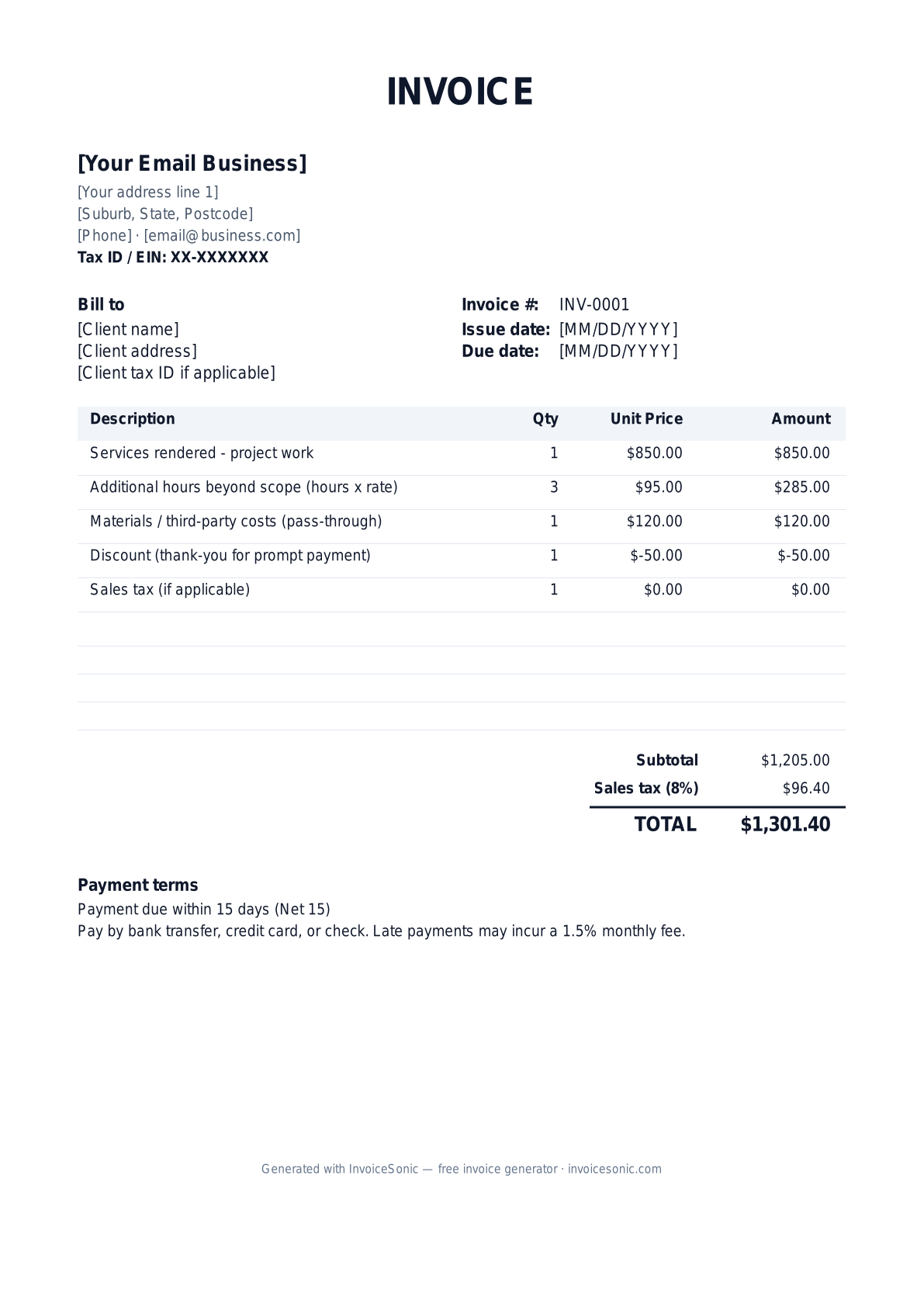
| Description | Qty | Unit price | Amount |
|---|---|---|---|
| Services rendered - project work | 1 | $850.00 | $850.00 |
| Additional hours beyond scope (hours x rate) | 3 | $95.00 | $285.00 |
| Materials / third-party costs (pass-through) | 1 | $120.00 | $120.00 |
| Discount (thank-you for prompt payment) | 1 | $-50.00 | $-50.00 |
| Sales tax (if applicable) | 1 | $0.00 | $0.00 |
| Subtotal | $1,205.00 | ||
| Sales tax (8%) | $96.40 | ||
| Total | $1,301.40 | ||
Example figures — every field is editable in the download.
Who uses this template
- ✓Freelancers and consultants emailing invoices to remote clients
- ✓Small business owners sending bills without accounting software
- ✓Agencies and service providers delivering invoices digitally
- ✓Contractors who want a professional message to accompany the PDF
- ✓Anyone who wants their invoice opened and paid without follow-up
What to include
- ✓A clear subject line with invoice number and your business name
- ✓A short greeting and one-line summary of what the invoice covers
- ✓The total amount due and the due date stated in the body
- ✓How to pay - payment link, ACH details, or accepted methods
- ✓A reference to the attached invoice (PDF) with its line items
- ✓A polite thank-you and your contact info for questions
- ✓The itemized invoice itself attached, not just described
Available in 5 formats
Word (.docx)
Fully editable in Microsoft Word, Google Docs, Apple Pages and LibreOffice — best for quick text edits.
Excel (.xlsx)
Line totals, subtotal and tax calculate automatically — best if you want the math done for you.
A clean, print-ready, fixed layout — best for emailing a finished invoice to a client.
Google Docs / Sheets
Open in your browser, then File → Make a copy to edit and share with your team.
Invoicing tips for email
- ✓ Put the invoice number and amount in the subject line (e.g., 'Invoice #1042 - $1,085 due Jun 30') so it's scannable.
- ✓ Keep the body to three or four sentences - state what it's for, the total, the due date, and how to pay.
- ✓ Attach the invoice as a PDF so formatting stays intact across devices and email clients.
- ✓ Include a direct payment link or your ACH/Zelle details in the email to remove the extra step of asking.
- ✓ Send from a professional address and CC anyone in accounts payable who needs to approve the payment.
Email invoice FAQ
What should I write in an email when sending an invoice?
Open with a brief greeting, state what the invoice is for in one line, give the total amount and due date, and explain how to pay. Reference the attached PDF, thank them, and add your contact info. Keep it to a few sentences.
What's a good subject line for an invoice email?
Make it specific: include the word 'Invoice', the number, the amount, and optionally the due date - for example 'Invoice #1042 from Acme Co - $1,085 due Jun 30'. This helps it get noticed and routed to accounts payable quickly.
Should I send the invoice as a PDF or in the email body?
Attach a PDF. PDFs preserve your formatting and line items across every device and email client, and they're easy for clients to file or forward to their accountant. Summarize the key details (total, due date) in the body.
How do I follow up if the invoice email gets no reply?
Send a polite reminder a few days after the due date, replying to your original email so the invoice stays attached. Restate the amount, the original due date, and payment options. Keep the tone friendly for the first nudge.
Related invoice templates
Prefer a specific format? Word invoice template · Excel invoice template · PDF invoice template · Google Docs invoice template · All invoice templates